

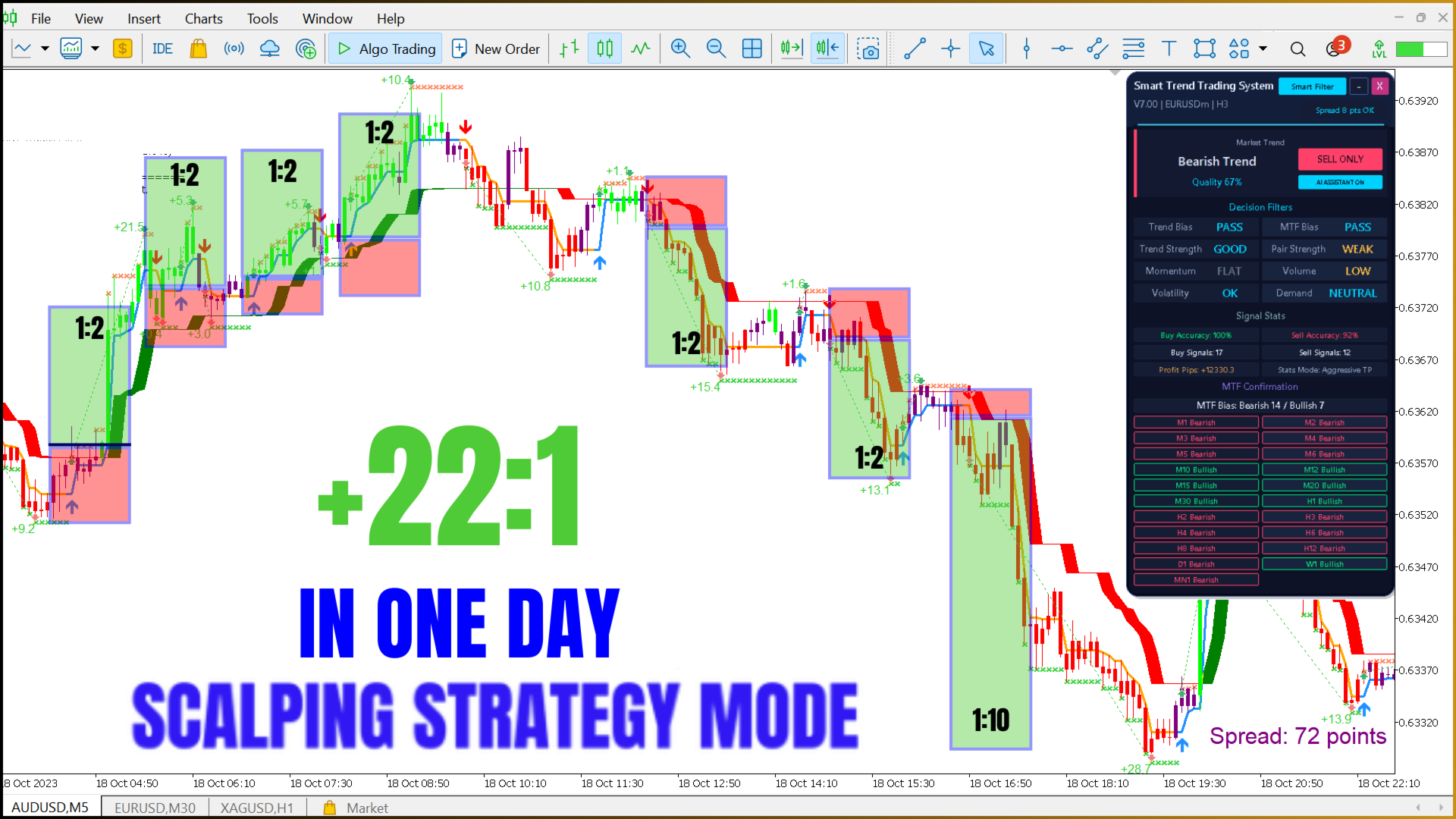
Smart Trend Trading System MT5 – Best Trend Indicator 2026 – MQ5 Open code version
$999.00

Description
Smart Trend Trading System MT5 Source Code — Open Code Version with Resale Rights
Get the full MQ5 source code of the Smart Trend Trading System indicator and the Smart Trend EA robot for MetaTrader 5. Edit it, compile it, rename it, rebrand it and resell it — on your website or on MQL5 Market. One payment of $999.
- Indicator + Smart Trend EA — full source code (.mq5)
- Resale rights: rename, rebrand, publish on MQL5.com
- No time limit, no account limits
- Help with installation and compiling via AnyDesk
📑 Table of Contents
- 1. What Is the Open Code Version?
- 2. What You Get for $999
- 3. Advantages of Open Code
- 4. Source Code Samples
- 5. Payback: Reselling at $50
- 6. Indicator Features
- 7. AI Smart Trend Panel
- 8. Four Strategy Presets
- 9. Smart Trend EA Robot
- 10. Video
- 11. Technical Specifications
- 12. Compiling and Installation
- 13. FAQ
1. What Is the Smart Trend Trading System Open Code Version?
It is the complete, commented MQL5 source code of a ready trading product: a trend indicator with an AI decision panel, 10+ trading tools, 4 strategy presets, 20-timeframe confirmation — and a trading robot that trades its signals. Instead of building an indicator from zero, you start from a finished product and turn it into your own brand.

2. What You Get for $999
| Included | Details |
|---|---|
| Indicator source code | Signal2forex.com_Smart_Trend_Trading_System_MT5.mq5 — about 3,800 lines, version 14.00 |
| EA source code | Signal2forex.com_Smart_Trend_EA_MT5.mq5 — about 1,160 lines |
| Resale rights | Sell copies, rename, rebrand, publish on MQL5 Market or your website |
| No limits | No time limit, no account limits |
| Help | Installation and compiling help via AnyDesk |
| Payment | $999 one-time, no subscription |
3. Advantages of Open Code
- Resell it: sell copies of your version on your website, in Telegram channels or on marketplaces — every sale is your income.
- Rename and rebrand: your product name, your logo text, your colors, your contacts in the panel and in the settings.
- Publish on MQL5.com: compile your version and publish it on MQL5 Market under your own seller account, product name and branding.
- Add your own protection: account locks, expiry dates, trial versions and licence keys — the code is yours to extend.
- Change the logic: tune the modules, add filters, new strategies, new alerts or your own EA rules.
- No dependency on the author: no expiry, no account list, no waiting for updates — you compile any build yourself.
- Learn MQL5 on a real product: panels, buffers, multi-timeframe data, iCustom automation and trade management in working code.
4. Source Code Samples
Short excerpts show the code style: clear structure, named buffers and comments in English. The full algorithms are delivered after purchase.
Per-bar AI decision written to the automation buffers
//+------------------------------------------------------------------+
//| AI Smart Trend decision (per bar, fixed on candle close)         |
//+------------------------------------------------------------------+
   SDec dec;
   EvalDecision(i, dec);                 // 8 decision filters -> Quality -> decision
   BufAIDecision[i] = dec.decision;      // buffer 86: 1 BUY ONLY, -1 SELL ONLY, 0 WAIT
   BufAIQuality[i]  = dec.quality;       // buffer 87: 0..100
   BufHTFBull[i]    = dec.htfBull;       // buffer 88
   BufHTFBear[i]    = dec.htfBear;       // buffer 89
   if(draw)
     {
      if(sig > 0 && dec.decision > 0) BufAIBuy[i]  = g_low[i];   // buffer 90
      if(sig < 0 && dec.decision < 0) BufAISell[i] = g_high[i];  // buffer 91
     }
Unified alert function
//+------------------------------------------------------------------+
//| Unified alerts: popup, push, e-mail                              |
//+------------------------------------------------------------------+
void SendAlert(const string msg)
  {
   if(!g_visual || !g_alertsOn) return;
   string full = "STTS " + _Symbol + " " + TfToString((ENUM_TIMEFRAMES)_Period) + ": " + msg;
   if(InpAlertPopup) Alert(full);
   if(InpAlertPush)  SendNotification(full);
   if(InpAlertEmail) SendMail("Smart Trend Trading System Alert", full);
  }
Smart Trend EA: entry filter on the closed candle
//+------------------------------------------------------------------+
//| Smart Trend EA: entry on the closed candle with the AI filter    |
//+------------------------------------------------------------------+
   if(dir != 0 && InpCloseOpposite) CloseDirection(-dir, "opposite signal");
   ...
   if(note == "" && InpUseAIFilter && g_aiDecision != dir)
      note = (g_aiDecision == 0) ? "AI says WAIT" : "AI against";
   if(note == "" && InpMinQuality > 0.0 && g_aiQuality < InpMinQuality)
      note = StringFormat("Quality %.0f%% < %.0f%%", g_aiQuality, InpMinQuality);
   ...
   if(OpenTrade(dir, "STTS " + SourceName(), false, 0.0))
      g_lastSigNote = (dir > 0 ? "BUY" : "SELL") + string(" opened");
5. Payback: Reselling Your Version at $50
How fast does the $999 open code price pay back? The calculation below assumes you publish your version on MQL5 Market at $50 per copy and make an estimated 123 sales per month. MQL5 keeps a 20% commission, so you receive $40 per sale.
| Item | Value |
|---|---|
| Open code price (one-time) | $999 |
| Your price per copy | $50 |
| MQL5 Market commission | 20% (−$10) |
| You receive per sale | $40 |
| Sales needed to pay back $999 | 25 sales |
| Estimated sales per month | 123 |
| Net income per month | $4,920 |
| Payback time | ≈ 6 days |
| Net income in 12 months | $59,040 |
| Net after the $999 price, 12 months | $58,041 |
| Return on the $999 price, 12 months | ×59 |
📌 $50 per copy · 20% MQL5 Market commission · 123 sales per month · 30-day month.
Break-even in the first month
Net income by day at 123 sales per month ($164 per day) against the $999 price
Net income over 12 months
Cumulative net income at 123 sales per month × $40 per sale · red dashed line = $999 open code price
Payback at different sales volumes
| Scenario | Sales per month | Net per month | Payback | Net after $999, 12 months |
|---|---|---|---|---|
| 25% of the estimate | 31 | $1,240 | ≈ 24 days | $13,881 |
| 50% of the estimate | 62 | $2,480 | ≈ 12 days | $28,761 |
| Estimate | 123 | $4,920 | ≈ 6 days | $58,041 |
📌 Selling on your own website without the MQL5 commission you keep the full $50: 123 sales give $6,150 per month (before payment fees), and 20 sales pay back the $999 price.
6. Indicator Features Included in the Source Code
- Signals fixed on candle close — closed-candle signals do not change afterwards
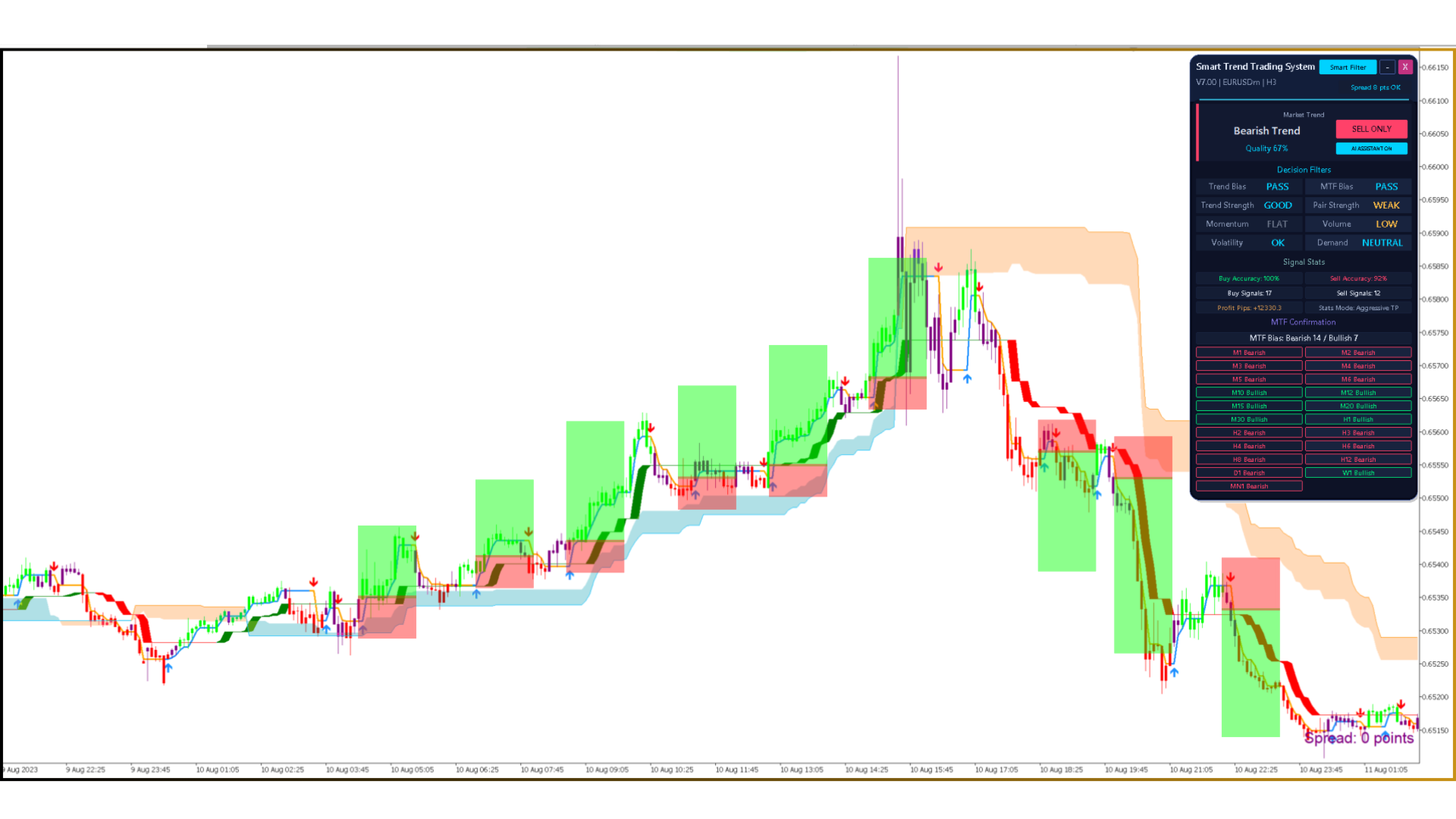
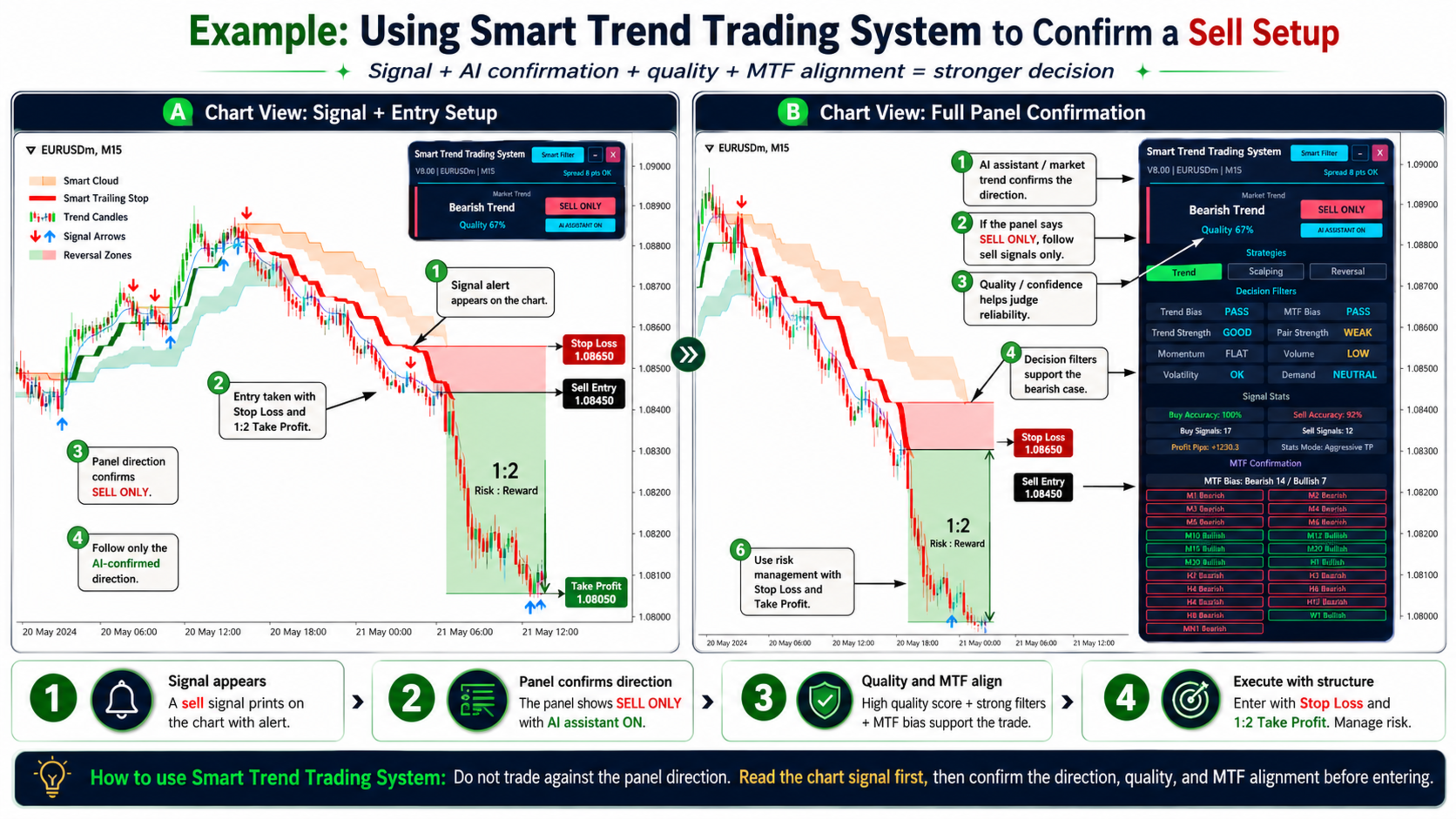
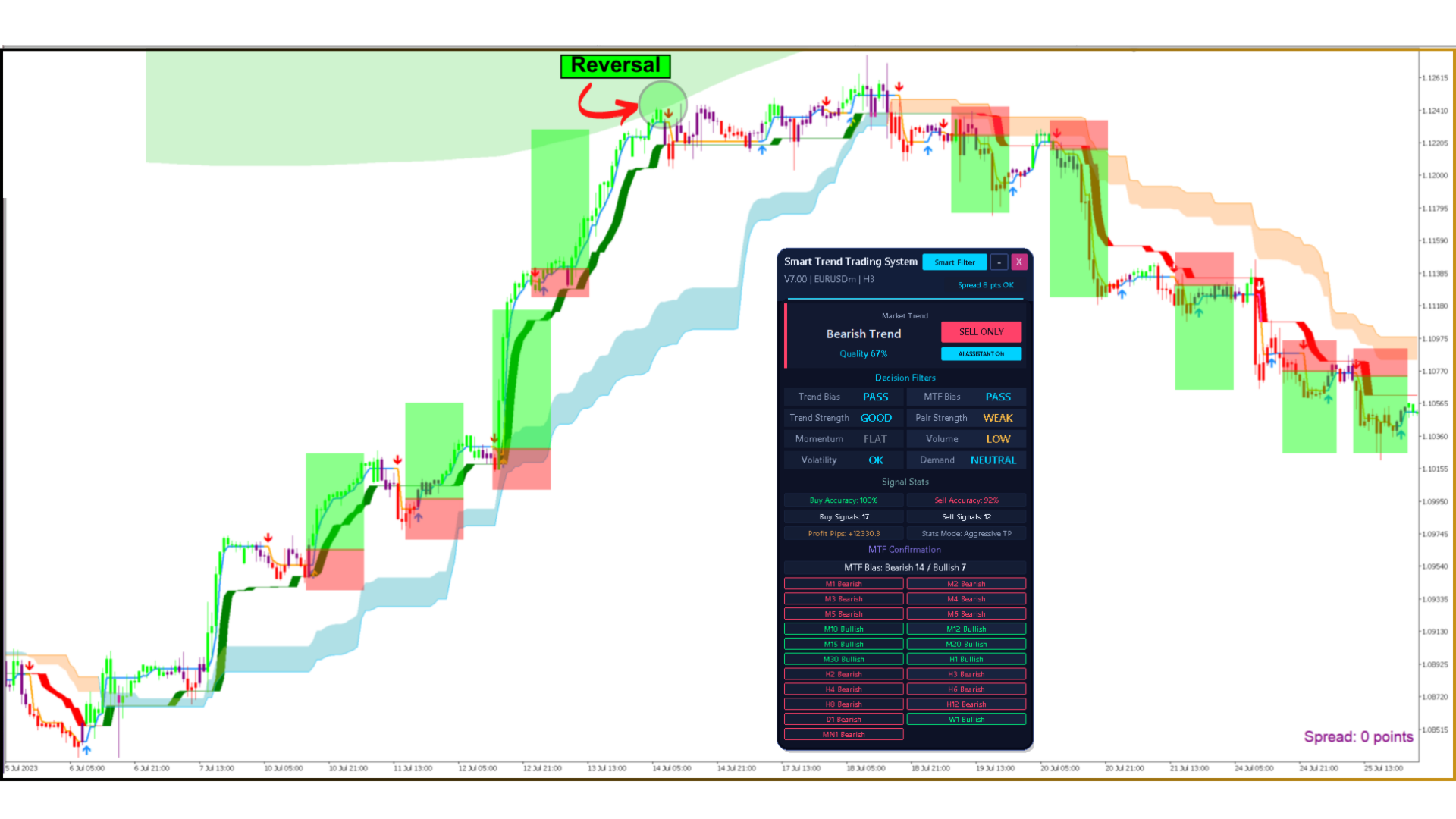
- AI Smart Trend panel — BUY ONLY / SELL ONLY / WAIT with a Quality score
- 8 Decision Filters — Trend Bias, MTF Bias, Trend Strength, Pair Strength, Momentum, Volume, Volatility, Demand
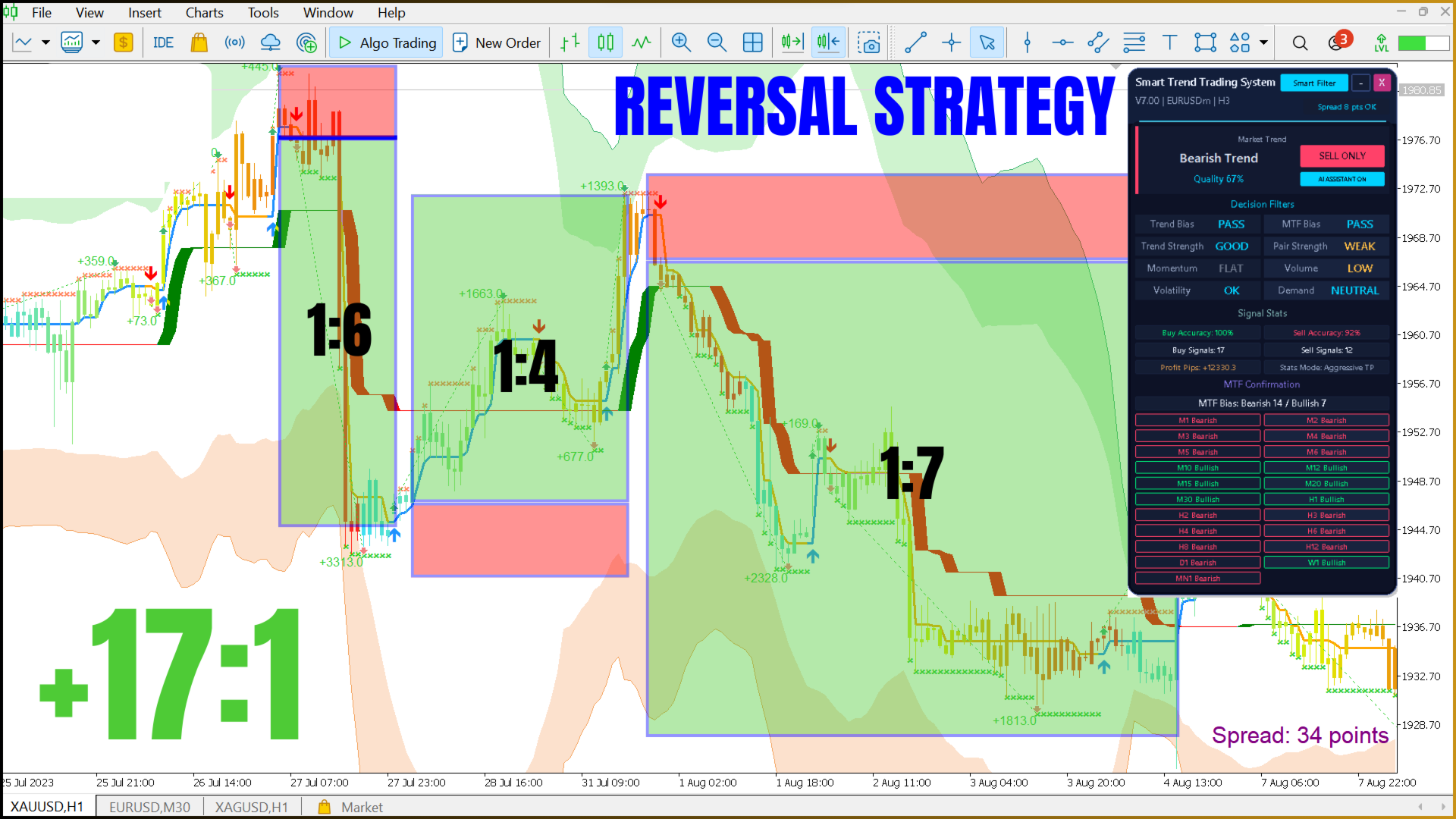
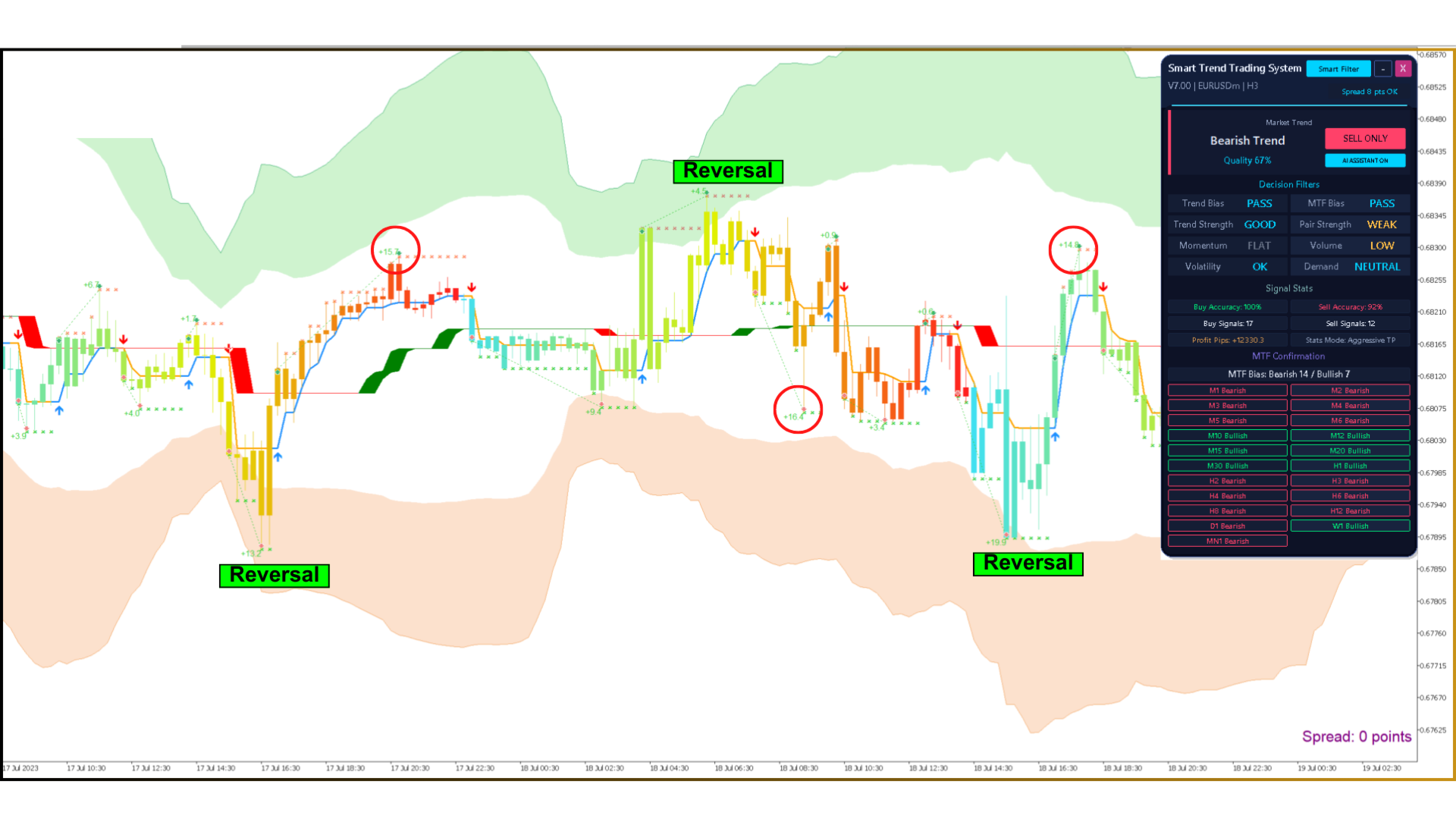
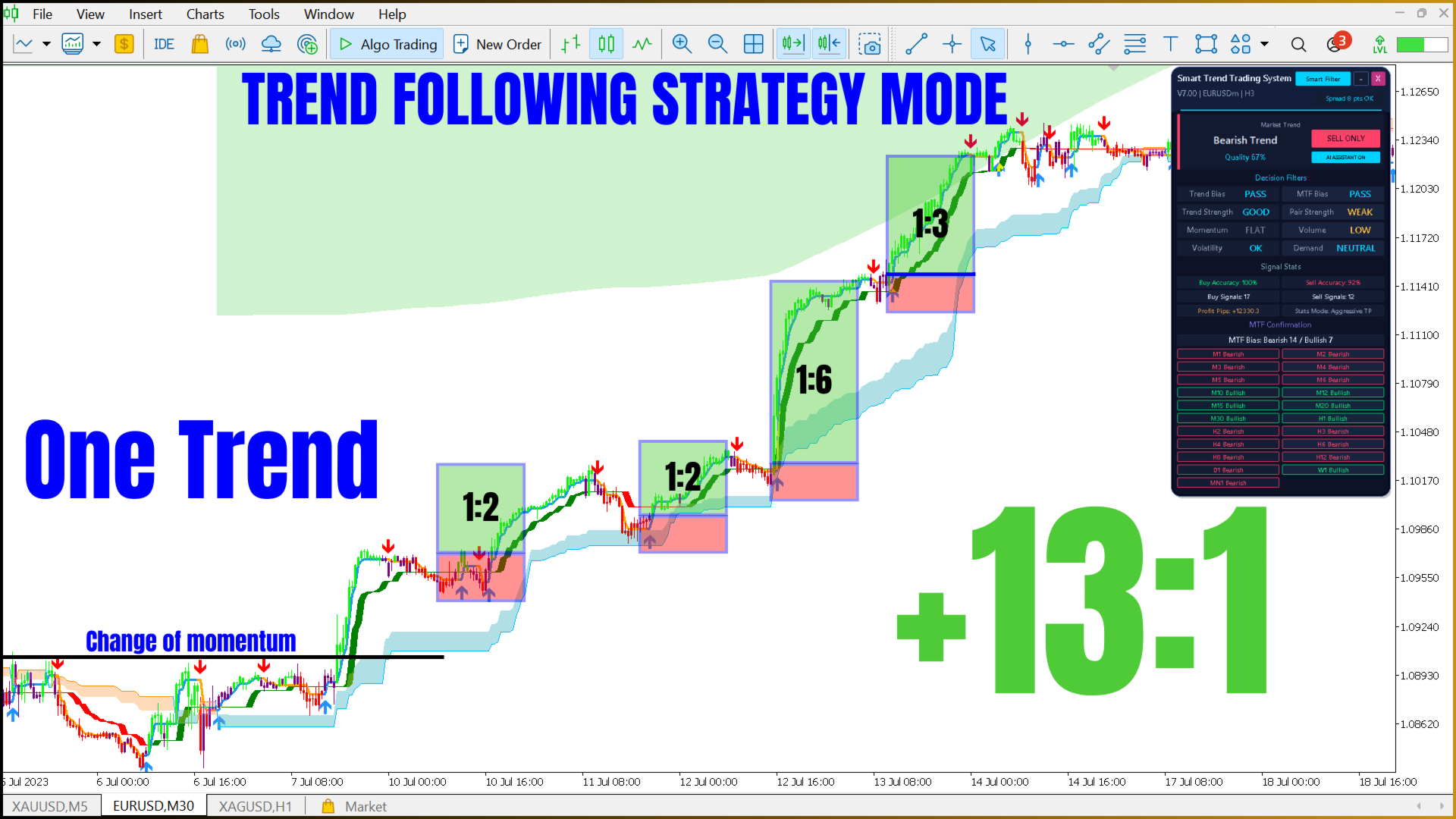
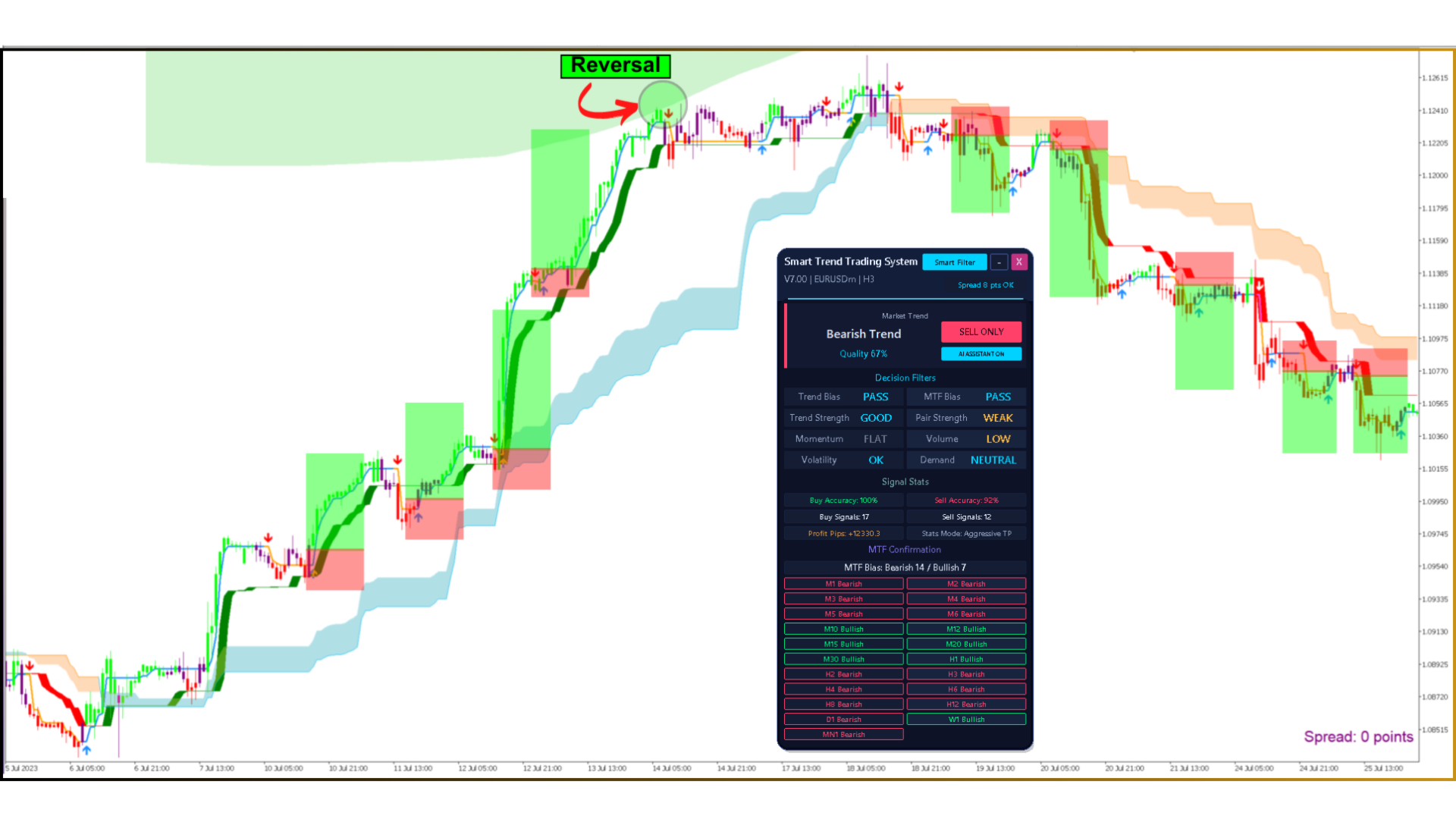
- 4 strategy presets — Trend, Reversal, Scalp and Volume
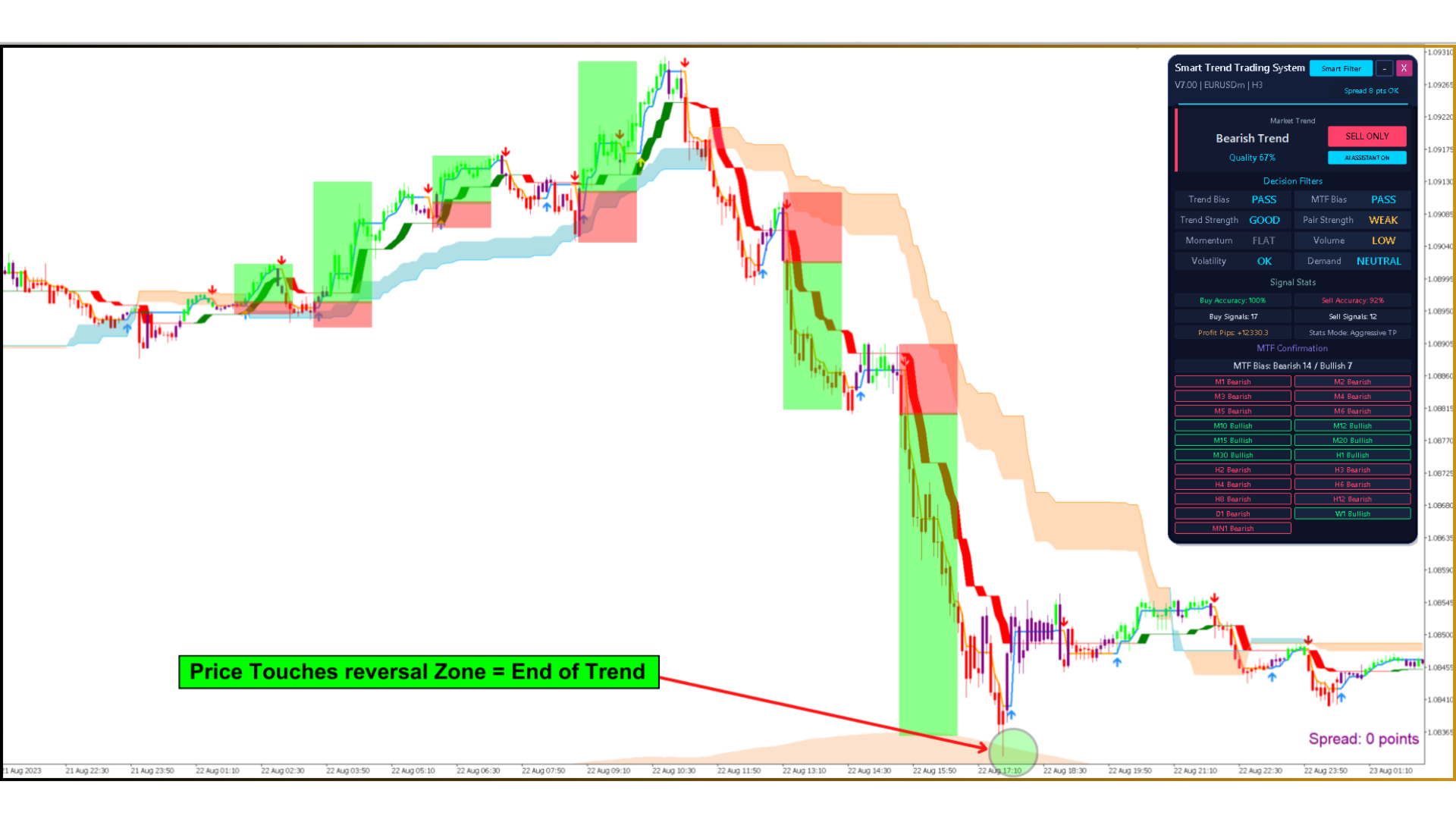
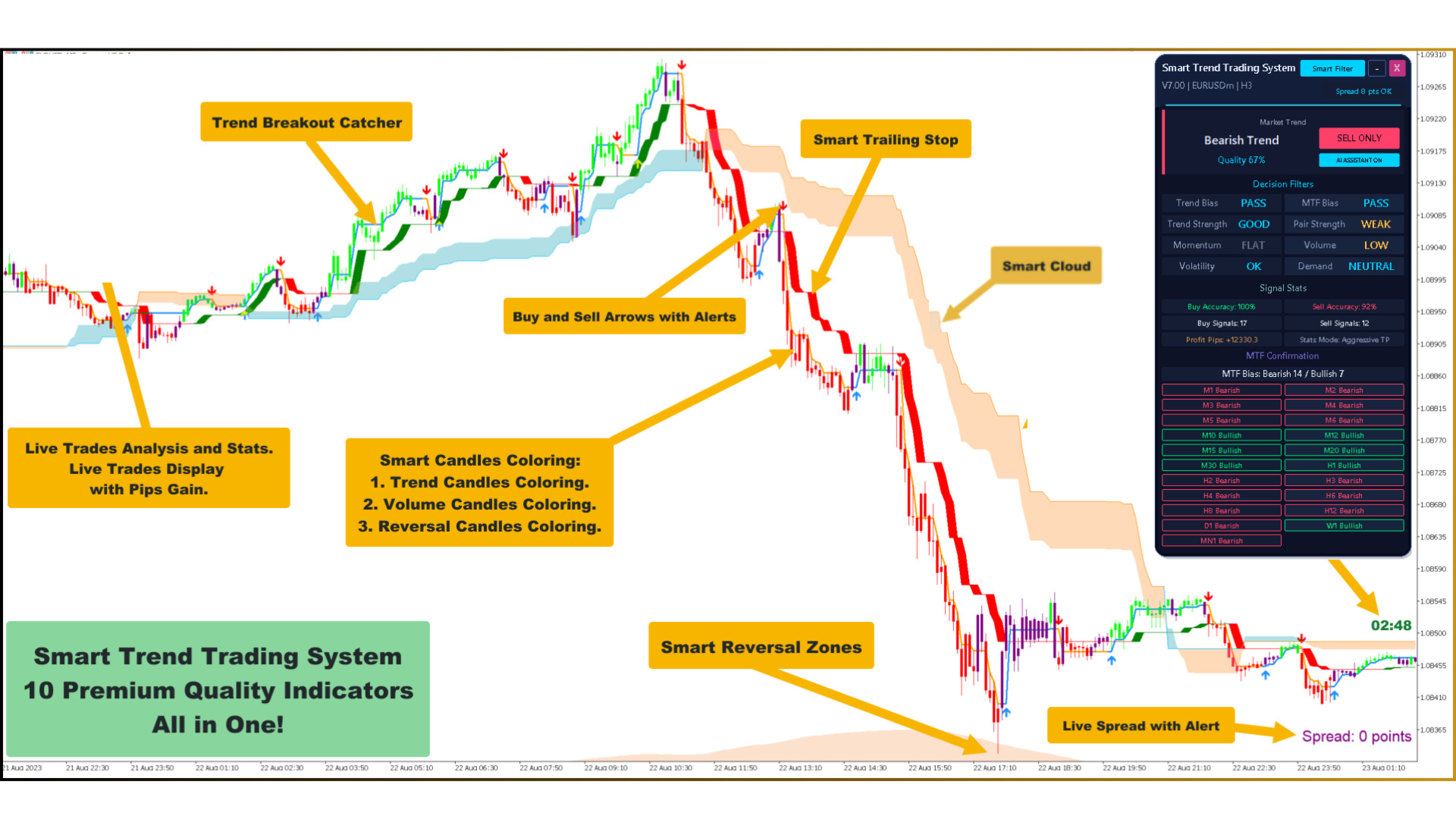
- Trend Breakout Catcher, Smart Trailing Stop, Smart Cloud, Smart Reversal Zones
- Clean Candle Coloring — trend, volume and reversal-pressure candles
- Daily VWAP and Smart Volume Profile
- MTF Confirmation — 20 timeframes from M1 to W1
- Signal Stats — Aggressive TP, Opposite Signal and ATR SL / TP modes
- Alerts — popup, push notifications and email
- Night and Day themes, draggable panel, hotkeys, candle timer and spread monitor
- Ready protection code — expiry date and account list, easy to switch on or off
7. AI Smart Trend Panel and Decision Filters
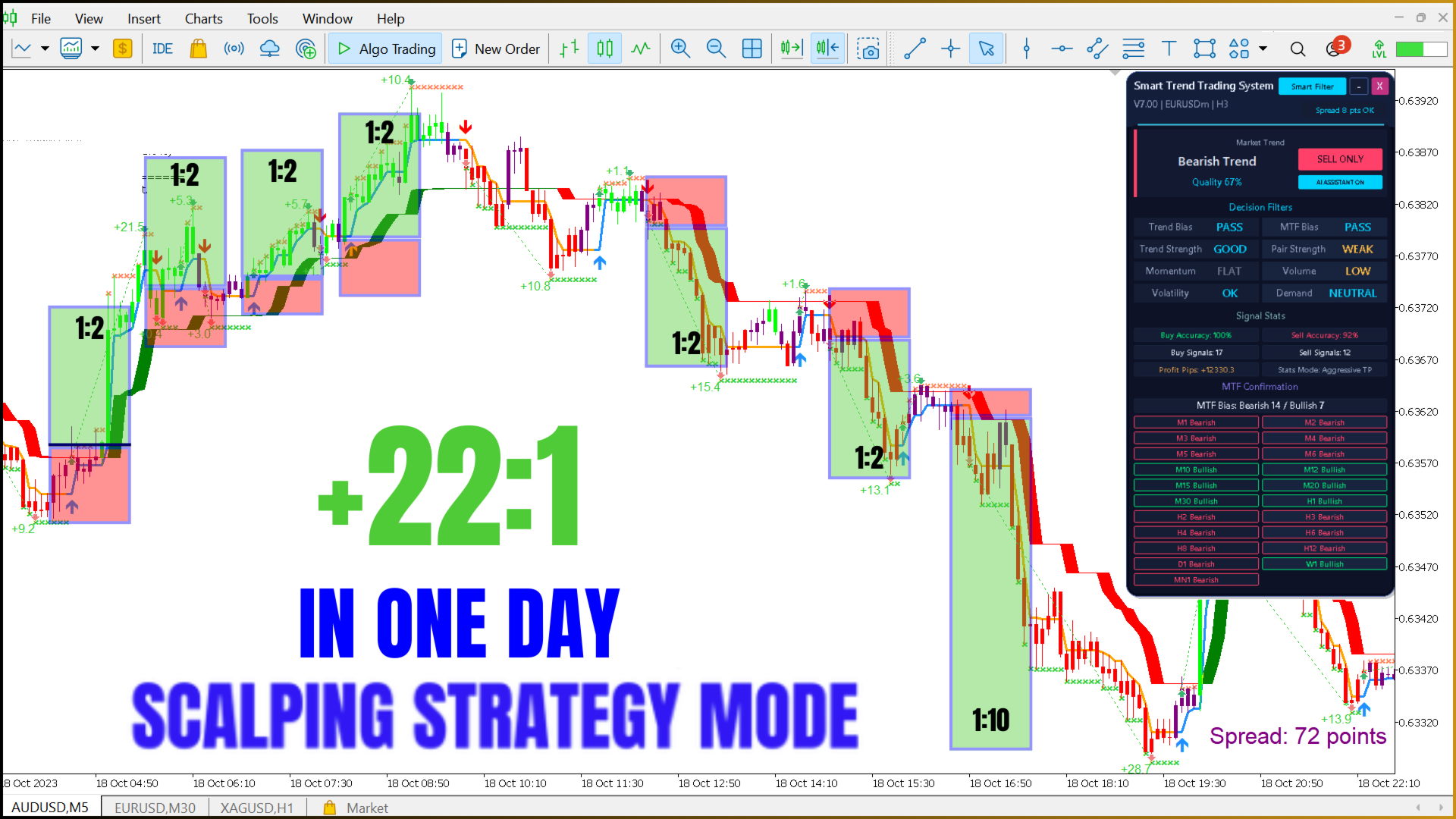
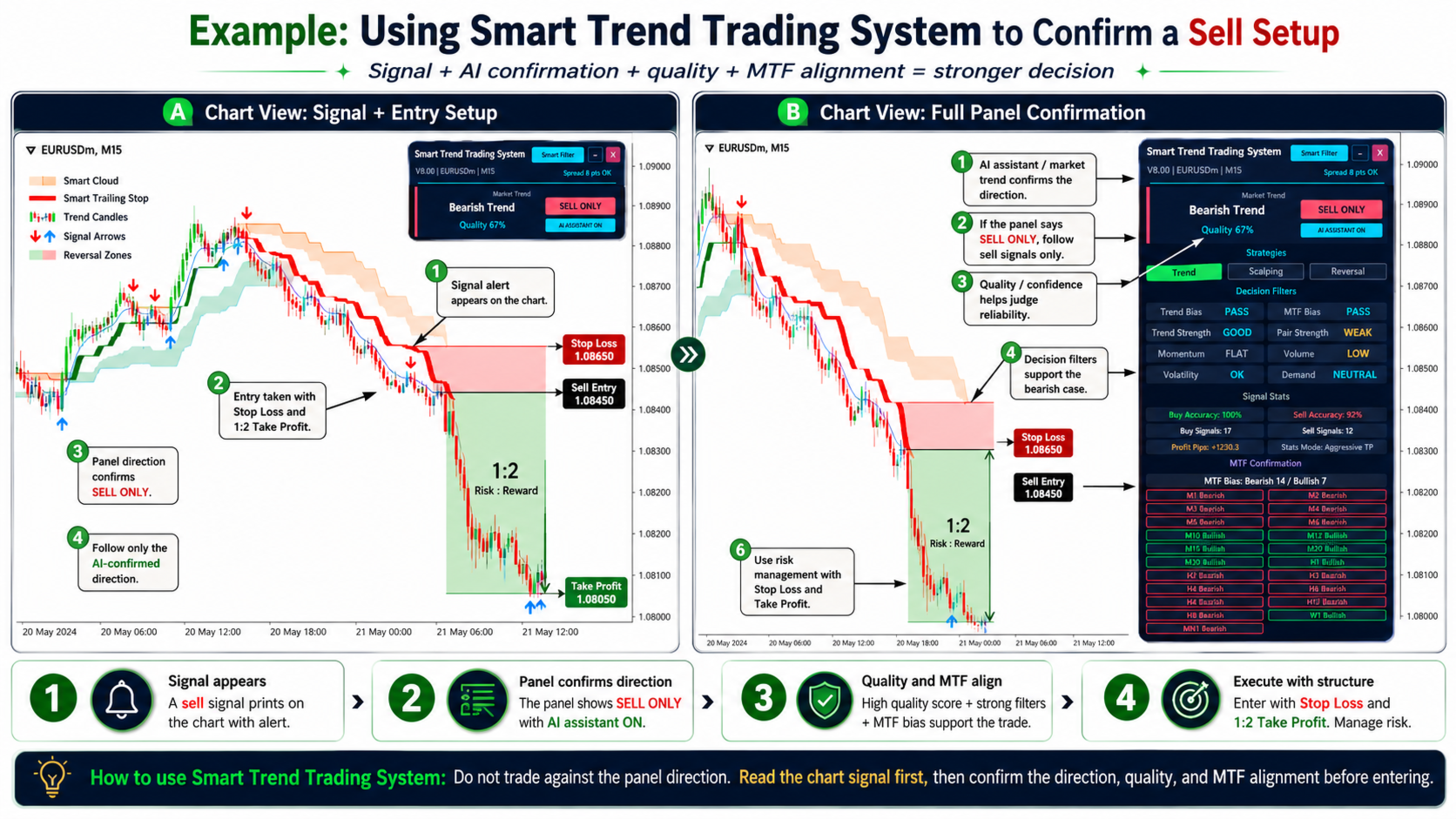
The AI Smart Trend block combines eight filters into a Quality score from 0 to 100% and gives one decision: BUY ONLY, SELL ONLY or WAIT. The decision is saved for every candle when it closes, so the Smart Trend EA — or any EA you write — can use it.
| Filter | What it measures | Values |
|---|---|---|
| Trend Bias | Agreement of the trend modules | PASS / MIXED / FAIL |
| MTF Bias | Closed higher-timeframe candles in the same direction | PASS / MIXED / FAIL |
| Trend Strength | ADX strength of the move | WEAK / GOOD / STRONG / VERY STRONG |
| Pair Strength | How efficiently price is moving | FLAT / WEAK / GOOD / STRONG |
| Momentum | Acceleration in the trend direction | FLAT / WEAK / GOOD / STRONG / MOMENTUM |
| Volume | Participation compared with the average | LOW / NORMAL / HIGH |
| Volatility | Current range compared with the normal range | LOW / OK / HIGH |
| Demand | Overbought / oversold pressure | OVERSOLD / NEUTRAL / OVERBOUGHT |
8. Four Strategy Presets
| Preset | Chart tools | Signal |
|---|---|---|
| Trend (T) | Breakout Catcher, Trailing Stop, Smart Cloud, Reversal Zones, trend candles, trade analysis | Breakout in the Smart Cloud direction |
| Reversal (R) | Breakout Catcher, Trailing Stop, Reversal Zones, reversal-pressure candles | Rejection from a Reversal Zone |
| Scalp (S) | Breakout Catcher, Trailing Stop, trend candles | Trailing Stop turns confirmed by trend candles |
| Volume (V) | Volume candles, Smart Cloud, Daily VWAP, Smart Volume Profile | Price crossing VWAP in the cloud direction |
9. Smart Trend EA — Robot Source Code Included
- Signal sources: Primary, AI Confirmed, Trend Breakout Catcher, Smart Trailing Stop, Smart Cloud, Smart Trend or custom buffers.
- AI filter: trades only in the BUY ONLY / SELL ONLY direction and above the minimum Quality.
- Lot size: fixed lot or % risk of the balance.
- Stop Loss / Take Profit: fixed points, ATR, Smart Trailing Stop line, signal candle, Risk : Reward, Reversal Zone.
- Trade management: break-even, trailing stop, partial close, close on an opposite signal.
- Account protection: maximum drawdown, daily loss limit, trades per day, total lots, margin level and spread limits.
- Filters: trading hours, days of the week, MT5 economic-calendar news filter, Friday close.
- Recovery (averaging): available, OFF by default.
- Panel: EA ON / OFF, manual BUY / SELL, CLOSE ALL, AI decision, positions and today’s profit.
| Indicator buffer | Content |
|---|---|
0 / 1 | Primary BUY / SELL signal |
8 / 9 | Trend Breakout Catcher BUY / SELL |
15 / 16 | Smart Trailing Stop BUY / SELL |
35 / 36 | Smart Cloud BUY / SELL |
84 / 85 | Smart Trend BUY / SELL |
86 / 87 | AI decision (1 BUY ONLY, −1 SELL ONLY, 0 WAIT) / Quality 0–100 |
88 / 89 | Higher timeframes confirming bullish / bearish direction |
90 / 91 | AI Confirmed BUY / SELL |
92 | Daily VWAP |
10. Video: Smart Trend Trading System in Action
Watch the AI Smart Trend panel switch between BUY ONLY, SELL ONLY and WAIT in the MetaTrader 5 Strategy Tester on EURUSD H1.

11. Technical Specifications
| Specification | Details |
|---|---|
| Product | Smart Trend Trading System MT5 + Smart Trend EA, open code |
| Price | $999, one-time payment |
| Format | Source code .mq5, compiles in MetaEditor 5 |
| Code size | Indicator ≈ 3,800 lines · EA ≈ 1,160 lines |
| Platform | MetaTrader 5 (MT5) only |
| Version | 14.00 (September 2026) |
| Rights | Modify, rename, rebrand, resell, publish on MQL5 Market |
| Limits | No time limit, no account limits |
| Support | Installation and compiling help via AnyDesk |
| Minimum deposit | $10 |
| Account types | Standard, ECN, NDD, Cent, Micro, Pro |
| Broker | Any broker with MT5 |
12. Compiling and Installation
After the purchase send us your order number — we help you compile, rename and install your version via AnyDesk:
- Email: forexfactory1shop@gmail.com
- WhatsApp / Telegram: +995511167545
- Open MetaTrader 5 and go to File → Open Data Folder.
- Copy the indicator
.mq5intoMQL5\Indicatorsand the EA.mq5intoMQL5\Experts. - Open each file in MetaEditor and press Compile (F7) — the indicator first, then the EA.
- To rename the product, change the name in the file header and the file name; in the EA set the new indicator file name in Indicator name.
- Drag the indicator onto the chart; for automated trading drag the EA onto the chart and enable Algo Trading.
13. Frequently Asked Questions
What is the Smart Trend Trading System open code version?
The full MQ5 source code of the Smart Trend Trading System indicator and the Smart Trend EA robot for MetaTrader 5. You can edit it, compile it in MetaEditor, rename it, rebrand it and resell your own version.
How much does the open code version cost?
$999, one-time payment. It includes both .mq5 source files, no time or account limits, and help with installation and compiling.
Can I resell the indicator and publish it on MQL5.com?
Yes. The open code version includes resale rights: you can sell copies, rename the product, use your own branding and publish it on MQL5 Market or your own website. Publish it under your own product name and branding.
How fast does the open code price pay back?
At $50 per copy on MQL5 Market you receive $40 per sale after the 20% commission, so 25 sales pay back the $999 price. With an estimated 123 sales per month that is about 6 days and $4,920 net income per month.
What files do I get?
Signal2forex.com_Smart_Trend_Trading_System_MT5.mq5 (indicator, about 3,800 lines) and Signal2forex.com_Smart_Trend_EA_MT5.mq5 (Expert Advisor, about 1,160 lines), fully commented, ready to compile in MetaEditor.
Do I need programming skills?
No for renaming, branding and compiling — we help you do it. Basic MQL5 knowledge is useful if you want to change the trading logic.
Is it available for MT4?
No. The source code is for MetaTrader 5 (MT5) only.
Can I use the Smart Trend EA with a prop firm?
Yes, it can be used with prop firms. The EA uses a Stop Loss, daily loss and drawdown limits by default, and its recovery (averaging) mode is off.
- Indicator + Smart Trend EA — full source code (.mq5)
- Resale rights · rename · rebrand · MQL5.com
- No time limit · no account limits · AnyDesk help
💡 Need only the ready indicator? See the Smart Trend Trading System MT5 for $99.
🤝 Prefer not to trade yourself? See our Forex account management service.

 Signal2forex.com - Best Forex robots and signals


