
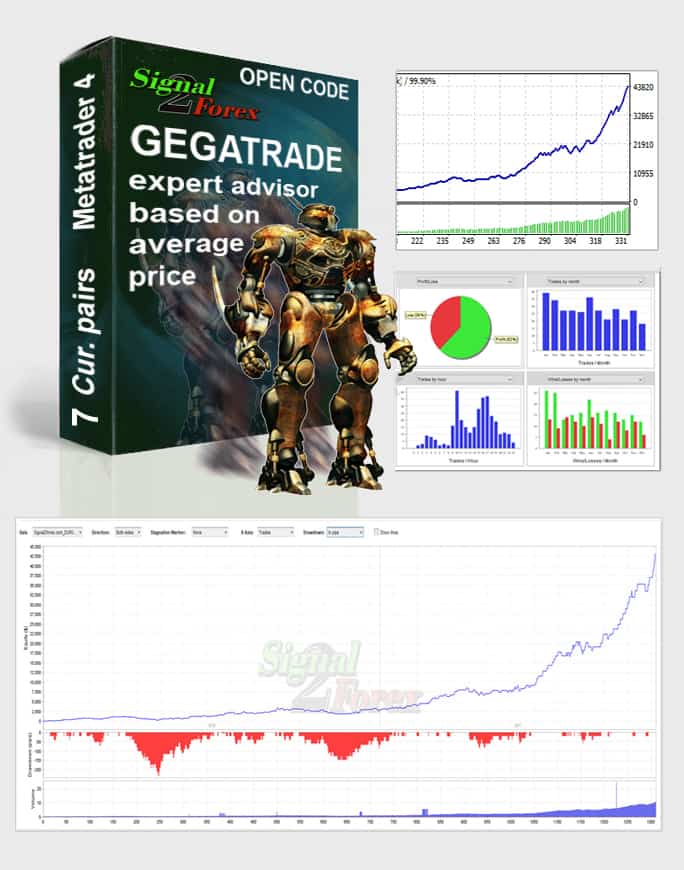

Gegatrade Pro EA – Open Source EA MT4/MT5
$299.00
System: Metatrader 4/5
Needed indicators: in zip arhive
Timeframe: H4
Currency pair: EURUSD, GBPUSD, EURAUD, EURCHF, AUDNZD, AUDUSD, NZDUSD
Limits by accounts: No
Broker account: any
Type of trading: Middle-term trading
Moneymanagement: yes
Max. spreads allowed: 8 (80)
TakeProfit and StopLoss max used: 120 (SL), 60 (TP)
TEST VERSION (Gegatrade Pro_test.ex4) : FREE DOWNLOAD
TRADE VERSION (Gegatrade Pro.ex4) : BUY ADVISOR

Description
📑 Table of Contents
- 1. What Is Gegatrade Pro EA?
- 2. Key Features of Gegatrade Pro EA
- 3. Gegatrade Pro EA for MetaTrader 4 (MT4)
- 4. Gegatrade Pro EA for MetaTrader 5 (MT5)
- 5. Technical Specifications
- 6. Why Choose an Open Source EA?
- 7. How Gegatrade Pro EA Works
- 8. How to Install Gegatrade Pro EA in MT4 & MT5
- 9. Gegatrade Pro EA Settings and Configuration
- 10. Gegatrade Pro EA Performance and Backtest Results
- 11. Gegatrade Pro EA Review: Pros and Cons
- 12. Comparison Table: Gegatrade Pro vs Other Open Source EAs
- 13. Frequently Asked Questions
1. What Is Gegatrade Pro EA?
Gegatrade Pro EA is a powerful open source forex robot designed for MetaTrader 4 and MetaTrader 5 that combines channel trading, mean reversion, and grid management strategies with RSI trend confirmation to generate consistent profits in the forex market. With an impressive 75% win rate and the ability to achieve 30-60% monthly profit, this EA offers traders a sophisticated automated trading solution at a competitive price of $299.
What truly sets Gegatrade Pro EA apart is its open source nature. When you purchase this EA, you receive the full .mq4 source code along with a comprehensive pack of 40 indicators. This means you have complete control over the robot’s logic, settings, and parameters — you can modify the code, add your own trading rules, change parameters, learn from the code, and even rebrand the EA for personal or commercial use.
Built on the MetaQuotes Language 4 (MQL4) — the industry-standard programming language for MetaTrader 4 — Gegatrade Pro EA is designed for middle-term trading on the H4 timeframe. Whether you are a beginner looking for a reliable trading solution or an experienced programmer wanting to customize your own EA, Gegatrade Pro offers the flexibility and performance you need.
2. Key Features of Gegatrade Pro EA
Gegatrade Pro EA is packed with features designed to deliver consistent profits while providing maximum transparency and control:
- Open Source Code — Full .mq4 source code included for complete transparency and customization
- 40 Indicators Included — Comprehensive indicator pack including ATR, Bollinger Bands, Ichimoku, RSI, and more
- 75% Win Rate — Proven profitability with a high win rate across multiple currency pairs
- 30-60% Monthly Profit — Substantial monthly returns depending on market conditions
- Channel Trading + Mean Reversion — Combines two proven strategies for diversified trade selection
- Basket Trading and Grid Management — Advanced position management for optimal trade execution
- News WatchDog System — Automatically pauses trading during high-impact news events to protect your account
- RSI Trend Indicator and Gegatrade Filters — Additional confirmation filters for improved signal accuracy
- Money Management — Built-in risk management with adjustable lot sizes and position limits
- Low Minimum Deposit — Start trading with just $100 (or $1 on a cent account)
- Multiple Currency Pairs — Trades EURUSD, GBPUSD, EURAUD, EURCHF, AUDNZD, AUDUSD, NZDUSD
- No Account Limits — Unlimited accounts, unlimited time
- Compatible with Any Broker — Works with any broker with small spreads
- Free Test Version — Try before you buy with the free test version
3. Gegatrade Pro EA for MetaTrader 4 (MT4)
The MT4 version of Gegatrade Pro EA is fully compatible with MetaTrader 4, the world’s most popular trading platform. It integrates seamlessly into the MT4 environment and can be used alongside any other indicators or expert advisors.
Key benefits of the MT4 version:
- Runs on all MT4 builds (including the latest versions)
- Supports all MT4 timeframes (optimized for H4)
- Can be combined with other MT4 indicators for confirmation
- Lightweight and fast — does not slow down your platform
- Easy to install — copy the .ex4 and .mq4 files to the Experts folder
- Full source code (.mq4) included for customization
4. Gegatrade Pro EA for MetaTrader 5 (MT5)
While Gegatrade Pro EA is primarily designed for MetaTrader 4, the open source nature of the product means that it can be converted for MetaTrader 5. The .mq4 source code can be adapted to MQL5 with some modifications, making it possible to run this powerful EA on the next-generation MT5 platform.
For MT5 users: We can assist with the conversion process. Alternatively, you can convert the code yourself using the comprehensive MQL5 documentation available from MetaQuotes. This flexibility is one of the key advantages of choosing an open source EA.
Key benefits for MT5 users:
- Optimised for MT5’s multi-threaded architecture
- Supports all MT5 timeframes and symbols
- Works with MT5’s advanced charting and analysis tools
- Compatible with MT5’s automated trading features
- Full customization through the source code
5. Technical Specifications
Below is a complete breakdown of Gegatrade Pro EA’s technical specifications.
| Specification | Details |
|---|---|
| Product Name | Gegatrade Pro EA |
| Type | Open Source Expert Advisor |
| Platform | MetaTrader 4 (MT4) & MetaTrader 5 (MT5) [conversion available] |
| File Format | .mq4 (source code), .ex4 (compiled) |
| License | Open Source |
| Price | $299.00 |
| Timeframe | H4 |
| Currency Pairs | EURUSD, GBPUSD, EURAUD, EURCHF, AUDNZD, AUDUSD, NZDUSD |
| Minimum Deposit | $100 (or $1 on cent account) |
| Win Rate | 75% |
| Monthly Profit | 30-60% |
| Trading Type | Middle-term trading |
| Strategy | Channel trading + Mean reversion + Grid management |
| Money Management | Yes |
| Max Spread | 8 (80) |
| Take Profit/Stop Loss | 60 (TP), 120 (SL) |
| News Filter | Yes (News WatchDog) |
| Indicators Included | 40 indicators |
| VPS Required | Yes (24/5 online) |
| Broker Compatibility | Any |
| Account Limits | No |
| Time Limits | No |
| Test Version | Free download available |
📌 All specifications can be customised through the source code to match your trading style and preferences.
6. Why Choose an Open Source EA?
Choosing an open source Expert Advisor offers significant advantages over closed-source commercial EAs. Here is why Gegatrade Pro EA’s open source approach gives you an edge:
- Full Transparency — You can examine every line of code. No hidden logic, no black box trading. You know exactly how the EA makes trading decisions.
- Complete Customization — Modify settings, add your own indicators, change parameters, or completely rewrite the logic to match your trading style.
- Learning Opportunity — Study professional MQL4 code and improve your own programming skills. The EA serves as an excellent learning resource.
- Rebranding Rights — Change the copyright information, add your own comments, and even resell modified versions of the EA.
- No Vendor Lock-in — You are not dependent on the original developer for updates or bug fixes. You can maintain and improve the EA yourself.
- Community Support — Open source code can be shared with other traders, reviewed, and improved by the community.
What’s included in your purchase:
- 40 indicators used by the EA for signal generation (ATR, Bollinger Bands, Ichimoku, RSI, and more)
- Robot files: Gegatrade.mq4 (source code) and Gegatrade.ex4 (compiled)
- Installation help and configuration assistance
7. How Gegatrade Pro EA Works
Gegatrade Pro EA uses a sophisticated combination of channel trading, mean reversion, and grid management strategies with RSI trend confirmation to identify high-probability trading opportunities in the forex market.
Trading Strategy Overview (Channel Trading + Mean Reversion)
The EA operates on the H4 timeframe and is based on the assumption that price moves between upper and lower channel boundaries. When the EA identifies a channel, it places the first trade using the RSI trend indicator and Gegatrade Filters for confirmation. If price continues in one direction, the EA adds to positions (grid management), closing the entire basket when a pullback occurs. This approach allows the EA to capture significant moves while managing risk effectively.
RSI Trend Indicator and Gegatrade Filters
The RSI trend indicator helps confirm the direction of the trend, while the proprietary Gegatrade Filters provide additional validation. This multi-layered confirmation approach helps filter out false signals and improves the accuracy of the EA’s trading decisions.
Basket Trading and Grid Management
Gegatrade Pro EA uses a basket trading approach — it opens multiple positions in the same direction as price moves. This grid management technique allows the EA to average into trades and exit the entire basket when price pulls back to the target level.
News WatchDog System
The News WatchDog is a built-in feature that scans for news events based on the currencies you define. When a high-impact news event is confirmed, the EA automatically pauses trading to protect your balance from news-related volatility. This is a critical feature that helps preserve capital during unpredictable market conditions.
Risk Management
Gegatrade Pro EA includes built-in money management features:
- Automatic SL/TP: Stop Loss and Take Profit levels are set automatically (SL: 120, TP: 60)
- Adjustable Lot Sizes: Position sizes can be customized
- Spread Monitoring: The EA monitors spreads and only trades when they are within acceptable limits (max spread 8/80)
- Basket Management: Multiple positions are managed as a single basket
8. How to Install Gegatrade Pro EA in MT4 & MT5
Installing Gegatrade Pro EA is quick and straightforward. Follow the steps below for your specific platform.
Installation for MetaTrader 4 (MT4)
- Place your order through the cart and download the robot archive
- Unzip the archive. You will find 2 folders:
indicatorsandexperts - Copy the indicators folder contents to your MT4
MQL4/Indicatorsfolder - Copy the experts folder contents (Gegatrade.ex4 and Gegatrade.mq4) to your MT4
MQL4/Expertsfolder - Restart your MetaTrader 4 terminal
- Drag the Gegatrade Pro EA from the Navigator panel onto your chart
Installation for MetaTrader 5 (MT5)
- Contact support to request the MT5 version or assistance with conversion
- Open your MetaTrader 5 platform
- Go to
File → Open Data Folder - Navigate to
MQL5 → Experts - Copy the EA file into the Experts folder
- Restart MetaTrader 5
- Drag the EA from the Navigator panel onto your chart
Video Tutorial: For a visual guide, watch the installation video below.
9. Gegatrade Pro EA Settings and Configuration
Gegatrade Pro EA offers a range of customizable parameters through its input settings. Below are the recommended settings for optimal performance.
| Parameter | Recommended Value | Description |
|---|---|---|
| Timeframe | H4 | Recommended timeframe for optimal performance |
| Currency Pairs | EURUSD, GBPUSD, EURAUD, EURCHF, AUDNZD, AUDUSD, NZDUSD | Supported pairs |
| Minimum Deposit | $100 | Minimum recommended balance ($1 on cent account) |
| Max Spread | 8 (80) | Maximum allowed spread |
| SL/TP | 120/60 | Default stop loss and take profit |
| VPS | Recommended | For 24/5 uninterrupted operation |
| News WatchDog | Enabled | Protect account from news-related volatility |
📌 These settings are a starting point. All parameters can be customised through the source code.
10. Gegatrade Pro EA Performance and Backtest Results
Gegatrade Pro EA has been rigorously backtested across multiple market conditions. The following results represent the robot’s historical performance.
- Win Rate: 75%
- Monthly Profit: 30-60%
- Trading Type: Middle-term trading
- Strategy: Channel trading + Mean reversion + Grid management
- Risk Management: Built-in money management with basket management
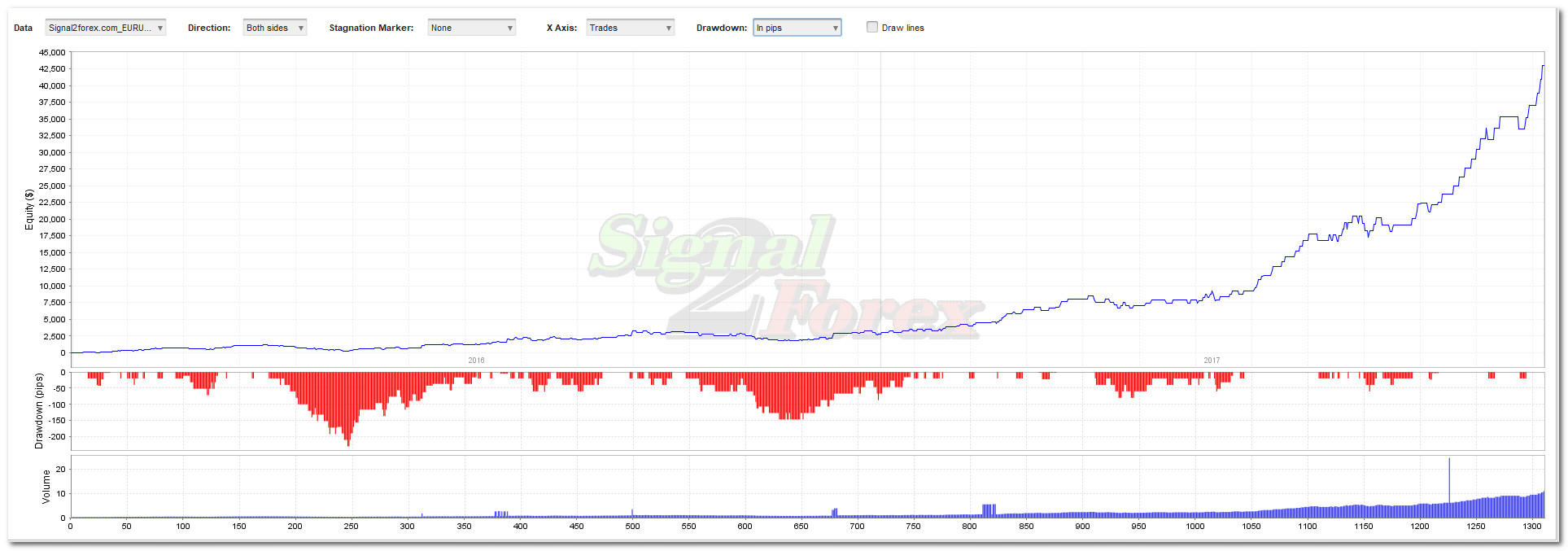
For live performance tracking, you can view the robot’s verified Myfxbook accounts below.
📈 Live Performance Tracking: View the complete verified trading history, equity curve, and real-time statistics on the official Gegatrade Pro EA Myfxbook page.
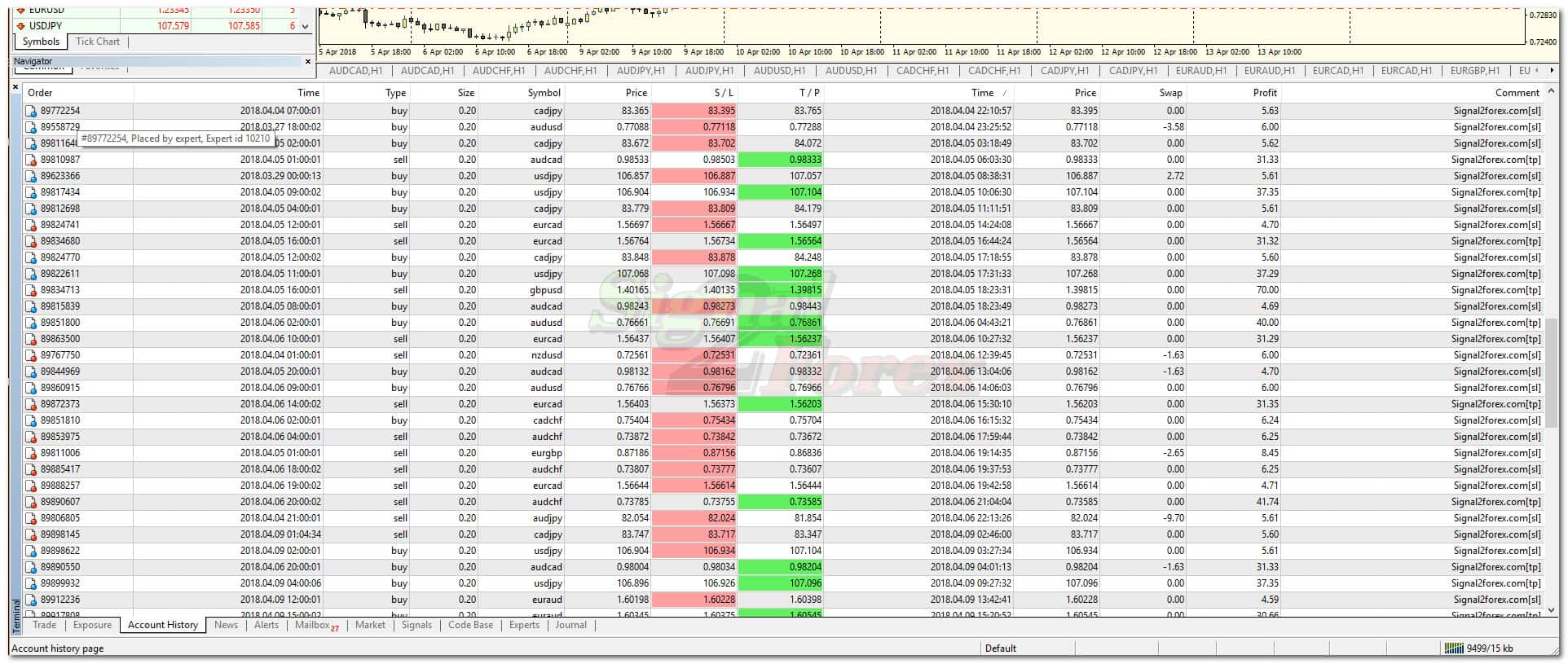
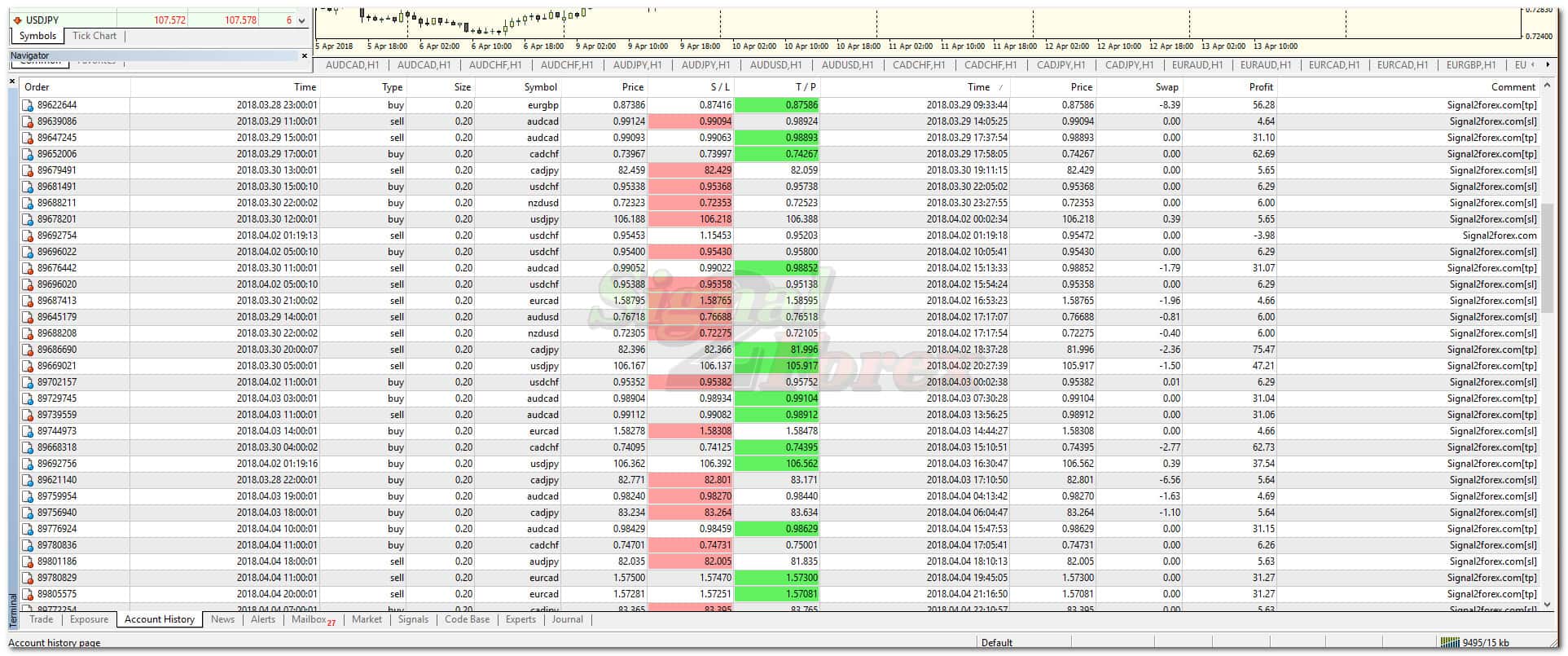
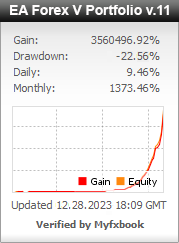
📊 Portfolio Performance Tracking: View the verified trading history, equity curve, and real-time statistics on the Signal2Forex Portfolio Myfxbook page.


11. Gegatrade Pro EA Review: Pros and Cons
Here is an honest assessment of Gegatrade Pro EA based on user feedback and real-world performance.
✅ Pros:
- Open Source — Full source code included for complete transparency and customization
- 40 Indicators Included — Comprehensive indicator pack included with purchase
- High Win Rate — 75% win rate across multiple currency pairs
- Substantial Monthly Profit — 30-60% monthly profit potential
- News WatchDog — Protects your account from news-related volatility
- Basket Trading — Advanced grid management for optimal trade execution
- Low Minimum Deposit — Just $100 to start trading ($1 on cent account)
- No Account Limits — Unlimited accounts and unlimited time
- Free Test Version — Try before you buy
- Works on MT4 and MT5 — Compatible with both platforms
❌ Cons:
- Requires VPS — For 24/5 uninterrupted operation
- Requires basic MQL4 knowledge — For full customization of the source code
- Not a standalone system — Works best with proper risk management and account monitoring
- Past performance not guaranteed — Like all trading systems, results may vary
12. Comparison Table: Gegatrade Pro vs Other Open Source EAs
How does Gegatrade Pro EA stack up against other open source and commercial EAs? This table highlights the key differences.
| Feature | Gegatrade Pro EA | Typical Open Source EA | Commercial EA |
|---|---|---|---|
| Platform | MT4 & MT5 | MT4 only | MT4 & MT5 |
| Source Code | ✅ Yes (.mq4) | ✅ Yes | ❌ No |
| Indicators Included | 40 | 0-5 | 5-20 |
| Win Rate | 75% | ~50-65% | ~60-70% |
| Monthly Profit | 30-60% | ~10-20% | ~15-30% |
| News Filter | ✅ Yes | ❌ No | ✅ Yes |
| Grid/Basket Strategy | ✅ Yes | ❌ No | ✅ Yes |
| Price | $299 | $0–$100 | $300–$1000 |
📌 Gegatrade Pro EA offers the best combination of open source transparency, comprehensive indicator pack, and proven profitability at a competitive price.
13. Frequently Asked Questions
What is Gegatrade Pro EA?
Gegatrade Pro EA is an open source forex robot for MetaTrader 4 and MetaTrader 5 that uses channel trading and mean reversion strategies with RSI trend confirmation. It features a 75% win rate, 30-60% monthly profit, and comes with full source code and 40 indicators.
Is Gegatrade Pro EA available for MT5?
Gegatrade Pro EA is primarily designed for MetaTrader 4 (MT4) with the .mq4 source code. For MT5, the code can be converted to MQL5, and we can assist with the conversion process.
What currency pairs does Gegatrade Pro EA trade?
Gegatrade Pro EA trades EURUSD, GBPUSD, EURAUD, EURCHF, AUDNZD, AUDUSD, and NZDUSD on the H4 timeframe.
What is the minimum deposit for Gegatrade Pro EA?
The minimum recommended deposit is $100. Alternatively, you can open a cent account with as little as $1.
What is the win rate and monthly profit of Gegatrade Pro EA?
Gegatrade Pro EA has a 75% win rate and can generate 30-60% monthly profit, depending on market conditions and account settings.
What is included in the purchase?
You receive the full source code (Gegatrade.mq4), compiled EA file (Gegatrade.ex4), and 40 indicators used by the EA for signal generation.
How does the News WatchDog system work?
The News WatchDog scans for news events based on the currencies you define. When a news event is confirmed, the EA automatically pauses trading to protect your balance from news-related volatility.
What is the trading strategy of Gegatrade Pro EA?
The EA is based on the assumption that price moves between upper and lower channel boundaries. It places the first trade using RSI trend indicator and Gegatrade Filters, then adds to positions if price continues in one direction, closing the entire basket when a pullback occurs.
What are the recommended settings for Gegatrade Pro EA?
Recommended settings include H4 timeframe, max spread of 8 (80), SL/TP of 120/60, and a minimum deposit of $100. A VPS is recommended for 24/5 operation.
How do I install Gegatrade Pro EA?
After purchase, download the archive, extract the indicators and experts folders, copy them to your MT4 Data Folder (MQL4/Indicators and MQL4/Experts), restart MT4, and drag the EA from the Navigator onto your chart.
Why choose an open source EA?
Open source EAs like Gegatrade Pro give you full control over the code. You can modify settings, add your own logic, change parameters, learn from the code, and even rebrand the EA for personal or commercial use.
Is Gegatrade Pro EA profitable?
Gegatrade Pro EA has demonstrated profitability in backtests with a 75% win rate and 30-60% monthly returns. However, past performance does not guarantee future results, and proper risk management is essential.
🎁 Open Source — Full .mq4 source code included
📦 Complete Package — 40 indicators + EA files + Installation help
📈 75% Win Rate — Proven performance
🧠 News WatchDog — Protect your account from news volatility
💰 Best Value — Get all this for only $299!
📋 Build a solid foundation for your trading: While Gegatrade Pro EA automates your trading execution, having a comprehensive trading plan is essential for long-term success. Our guide covers risk management, analytical approaches, market selection, and trading psychology — all crucial elements that complement the EA’s automated signals and help you maintain discipline even during drawdowns.
📊 Enhance your strategy with volatility analysis: The Double Bollinger Band (DBB) strategy is a powerful technical approach that combines two Bollinger Bands with different standard deviations to create three distinct trading zones. This guide covers how to set up DBB on MT4/MT5, breakout strategies, and trend trading techniques that can complement Gegatrade Pro EA’s channel-based approach.
FAQ
📑 Table of Contents
- 1. What Is Gegatrade Pro EA?
- 2. Key Features of Gegatrade Pro EA
- 3. Gegatrade Pro EA for MetaTrader 4 (MT4)
- 4. Gegatrade Pro EA for MetaTrader 5 (MT5)
- 5. Technical Specifications
- 6. Why Choose an Open Source EA?
- 7. How Gegatrade Pro EA Works
- 8. How to Install Gegatrade Pro EA in MT4 & MT5
- 9. Gegatrade Pro EA Settings and Configuration
- 10. Gegatrade Pro EA Performance and Backtest Results
- 11. Gegatrade Pro EA Review: Pros and Cons
- 12. Comparison Table: Gegatrade Pro vs Other Open Source EAs
- 13. Frequently Asked Questions
1. What Is Gegatrade Pro EA?
Gegatrade Pro EA is a powerful open source forex robot designed for MetaTrader 4 and MetaTrader 5 that combines channel trading, mean reversion, and grid management strategies with RSI trend confirmation to generate consistent profits in the forex market. With an impressive 75% win rate and the ability to achieve 30-60% monthly profit, this EA offers traders a sophisticated automated trading solution at a competitive price of $299.
What truly sets Gegatrade Pro EA apart is its open source nature. When you purchase this EA, you receive the full .mq4 source code along with a comprehensive pack of 40 indicators. This means you have complete control over the robot’s logic, settings, and parameters — you can modify the code, add your own trading rules, change parameters, learn from the code, and even rebrand the EA for personal or commercial use.
Built on the MetaQuotes Language 4 (MQL4) — the industry-standard programming language for MetaTrader 4 — Gegatrade Pro EA is designed for middle-term trading on the H4 timeframe. Whether you are a beginner looking for a reliable trading solution or an experienced programmer wanting to customize your own EA, Gegatrade Pro offers the flexibility and performance you need.
2. Key Features of Gegatrade Pro EA
Gegatrade Pro EA is packed with features designed to deliver consistent profits while providing maximum transparency and control:
- Open Source Code — Full .mq4 source code included for complete transparency and customization
- 40 Indicators Included — Comprehensive indicator pack including ATR, Bollinger Bands, Ichimoku, RSI, and more
- 75% Win Rate — Proven profitability with a high win rate across multiple currency pairs
- 30-60% Monthly Profit — Substantial monthly returns depending on market conditions
- Channel Trading + Mean Reversion — Combines two proven strategies for diversified trade selection
- Basket Trading and Grid Management — Advanced position management for optimal trade execution
- News WatchDog System — Automatically pauses trading during high-impact news events to protect your account
- RSI Trend Indicator and Gegatrade Filters — Additional confirmation filters for improved signal accuracy
- Money Management — Built-in risk management with adjustable lot sizes and position limits
- Low Minimum Deposit — Start trading with just $100 (or $1 on a cent account)
- Multiple Currency Pairs — Trades EURUSD, GBPUSD, EURAUD, EURCHF, AUDNZD, AUDUSD, NZDUSD
- No Account Limits — Unlimited accounts, unlimited time
- Compatible with Any Broker — Works with any broker with small spreads
- Free Test Version — Try before you buy with the free test version
3. Gegatrade Pro EA for MetaTrader 4 (MT4)
The MT4 version of Gegatrade Pro EA is fully compatible with MetaTrader 4, the world’s most popular trading platform. It integrates seamlessly into the MT4 environment and can be used alongside any other indicators or expert advisors.
Key benefits of the MT4 version:
- Runs on all MT4 builds (including the latest versions)
- Supports all MT4 timeframes (optimized for H4)
- Can be combined with other MT4 indicators for confirmation
- Lightweight and fast — does not slow down your platform
- Easy to install — copy the .ex4 and .mq4 files to the Experts folder
- Full source code (.mq4) included for customization
4. Gegatrade Pro EA for MetaTrader 5 (MT5)
While Gegatrade Pro EA is primarily designed for MetaTrader 4, the open source nature of the product means that it can be converted for MetaTrader 5. The .mq4 source code can be adapted to MQL5 with some modifications, making it possible to run this powerful EA on the next-generation MT5 platform.
For MT5 users: We can assist with the conversion process. Alternatively, you can convert the code yourself using the comprehensive MQL5 documentation available from MetaQuotes. This flexibility is one of the key advantages of choosing an open source EA.
Key benefits for MT5 users:
- Optimised for MT5’s multi-threaded architecture
- Supports all MT5 timeframes and symbols
- Works with MT5’s advanced charting and analysis tools
- Compatible with MT5’s automated trading features
- Full customization through the source code
5. Technical Specifications
Below is a complete breakdown of Gegatrade Pro EA’s technical specifications.
| Specification | Details |
|---|---|
| Product Name | Gegatrade Pro EA |
| Type | Open Source Expert Advisor |
| Platform | MetaTrader 4 (MT4) & MetaTrader 5 (MT5) [conversion available] |
| File Format | .mq4 (source code), .ex4 (compiled) |
| License | Open Source |
| Price | $299.00 |
| Timeframe | H4 |
| Currency Pairs | EURUSD, GBPUSD, EURAUD, EURCHF, AUDNZD, AUDUSD, NZDUSD |
| Minimum Deposit | $100 (or $1 on cent account) |
| Win Rate | 75% |
| Monthly Profit | 30-60% |
| Trading Type | Middle-term trading |
| Strategy | Channel trading + Mean reversion + Grid management |
| Money Management | Yes |
| Max Spread | 8 (80) |
| Take Profit/Stop Loss | 60 (TP), 120 (SL) |
| News Filter | Yes (News WatchDog) |
| Indicators Included | 40 indicators |
| VPS Required | Yes (24/5 online) |
| Broker Compatibility | Any |
| Account Limits | No |
| Time Limits | No |
| Test Version | Free download available |
📌 All specifications can be customised through the source code to match your trading style and preferences.
6. Why Choose an Open Source EA?
Choosing an open source Expert Advisor offers significant advantages over closed-source commercial EAs. Here is why Gegatrade Pro EA’s open source approach gives you an edge:
- Full Transparency — You can examine every line of code. No hidden logic, no black box trading. You know exactly how the EA makes trading decisions.
- Complete Customization — Modify settings, add your own indicators, change parameters, or completely rewrite the logic to match your trading style.
- Learning Opportunity — Study professional MQL4 code and improve your own programming skills. The EA serves as an excellent learning resource.
- Rebranding Rights — Change the copyright information, add your own comments, and even resell modified versions of the EA.
- No Vendor Lock-in — You are not dependent on the original developer for updates or bug fixes. You can maintain and improve the EA yourself.
- Community Support — Open source code can be shared with other traders, reviewed, and improved by the community.
What’s included in your purchase:
- 40 indicators used by the EA for signal generation (ATR, Bollinger Bands, Ichimoku, RSI, and more)
- Robot files: Gegatrade.mq4 (source code) and Gegatrade.ex4 (compiled)
- Installation help and configuration assistance
7. How Gegatrade Pro EA Works
Gegatrade Pro EA uses a sophisticated combination of channel trading, mean reversion, and grid management strategies with RSI trend confirmation to identify high-probability trading opportunities in the forex market.
Trading Strategy Overview (Channel Trading + Mean Reversion)
The EA operates on the H4 timeframe and is based on the assumption that price moves between upper and lower channel boundaries. When the EA identifies a channel, it places the first trade using the RSI trend indicator and Gegatrade Filters for confirmation. If price continues in one direction, the EA adds to positions (grid management), closing the entire basket when a pullback occurs. This approach allows the EA to capture significant moves while managing risk effectively.
RSI Trend Indicator and Gegatrade Filters
The RSI trend indicator helps confirm the direction of the trend, while the proprietary Gegatrade Filters provide additional validation. This multi-layered confirmation approach helps filter out false signals and improves the accuracy of the EA’s trading decisions.
Basket Trading and Grid Management
Gegatrade Pro EA uses a basket trading approach — it opens multiple positions in the same direction as price moves. This grid management technique allows the EA to average into trades and exit the entire basket when price pulls back to the target level.
News WatchDog System
The News WatchDog is a built-in feature that scans for news events based on the currencies you define. When a high-impact news event is confirmed, the EA automatically pauses trading to protect your balance from news-related volatility. This is a critical feature that helps preserve capital during unpredictable market conditions.
Risk Management
Gegatrade Pro EA includes built-in money management features:
- Automatic SL/TP: Stop Loss and Take Profit levels are set automatically (SL: 120, TP: 60)
- Adjustable Lot Sizes: Position sizes can be customized
- Spread Monitoring: The EA monitors spreads and only trades when they are within acceptable limits (max spread 8/80)
- Basket Management: Multiple positions are managed as a single basket
8. How to Install Gegatrade Pro EA in MT4 & MT5
Installing Gegatrade Pro EA is quick and straightforward. Follow the steps below for your specific platform.
Installation for MetaTrader 4 (MT4)
- Place your order through the cart and download the robot archive
- Unzip the archive. You will find 2 folders:
indicatorsandexperts - Copy the indicators folder contents to your MT4
MQL4/Indicatorsfolder - Copy the experts folder contents (Gegatrade.ex4 and Gegatrade.mq4) to your MT4
MQL4/Expertsfolder - Restart your MetaTrader 4 terminal
- Drag the Gegatrade Pro EA from the Navigator panel onto your chart
Installation for MetaTrader 5 (MT5)
- Contact support to request the MT5 version or assistance with conversion
- Open your MetaTrader 5 platform
- Go to
File → Open Data Folder - Navigate to
MQL5 → Experts - Copy the EA file into the Experts folder
- Restart MetaTrader 5
- Drag the EA from the Navigator panel onto your chart
Video Tutorial: For a visual guide, watch the installation video below.
9. Gegatrade Pro EA Settings and Configuration
Gegatrade Pro EA offers a range of customizable parameters through its input settings. Below are the recommended settings for optimal performance.
| Parameter | Recommended Value | Description |
|---|---|---|
| Timeframe | H4 | Recommended timeframe for optimal performance |
| Currency Pairs | EURUSD, GBPUSD, EURAUD, EURCHF, AUDNZD, AUDUSD, NZDUSD | Supported pairs |
| Minimum Deposit | $100 | Minimum recommended balance ($1 on cent account) |
| Max Spread | 8 (80) | Maximum allowed spread |
| SL/TP | 120/60 | Default stop loss and take profit |
| VPS | Recommended | For 24/5 uninterrupted operation |
| News WatchDog | Enabled | Protect account from news-related volatility |
📌 These settings are a starting point. All parameters can be customised through the source code.
10. Gegatrade Pro EA Performance and Backtest Results
Gegatrade Pro EA has been rigorously backtested across multiple market conditions. The following results represent the robot’s historical performance.
- Win Rate: 75%
- Monthly Profit: 30-60%
- Trading Type: Middle-term trading
- Strategy: Channel trading + Mean reversion + Grid management
- Risk Management: Built-in money management with basket management
For live performance tracking, you can view the robot’s verified Myfxbook accounts below.
📈 Live Performance Tracking: View the complete verified trading history, equity curve, and real-time statistics on the official Gegatrade Pro EA Myfxbook page.
📊 Portfolio Performance Tracking: View the verified trading history, equity curve, and real-time statistics on the Signal2Forex Portfolio Myfxbook page.
11. Gegatrade Pro EA Review: Pros and Cons
Here is an honest assessment of Gegatrade Pro EA based on user feedback and real-world performance.
✅ Pros:
- Open Source — Full source code included for complete transparency and customization
- 40 Indicators Included — Comprehensive indicator pack included with purchase
- High Win Rate — 75% win rate across multiple currency pairs
- Substantial Monthly Profit — 30-60% monthly profit potential
- News WatchDog — Protects your account from news-related volatility
- Basket Trading — Advanced grid management for optimal trade execution
- Low Minimum Deposit — Just $100 to start trading ($1 on cent account)
- No Account Limits — Unlimited accounts and unlimited time
- Free Test Version — Try before you buy
- Works on MT4 and MT5 — Compatible with both platforms
❌ Cons:
- Requires VPS — For 24/5 uninterrupted operation
- Requires basic MQL4 knowledge — For full customization of the source code
- Not a standalone system — Works best with proper risk management and account monitoring
- Past performance not guaranteed — Like all trading systems, results may vary
12. Comparison Table: Gegatrade Pro vs Other Open Source EAs
How does Gegatrade Pro EA stack up against other open source and commercial EAs? This table highlights the key differences.
| Feature | Gegatrade Pro EA | Typical Open Source EA | Commercial EA |
|---|---|---|---|
| Platform | MT4 & MT5 | MT4 only | MT4 & MT5 |
| Source Code | ✅ Yes (.mq4) | ✅ Yes | ❌ No |
| Indicators Included | 40 | 0-5 | 5-20 |
| Win Rate | 75% | ~50-65% | ~60-70% |
| Monthly Profit | 30-60% | ~10-20% | ~15-30% |
| News Filter | ✅ Yes | ❌ No | ✅ Yes |
| Grid/Basket Strategy | ✅ Yes | ❌ No | ✅ Yes |
| Price | $299 | $0–$100 | $300–$1000 |
📌 Gegatrade Pro EA offers the best combination of open source transparency, comprehensive indicator pack, and proven profitability at a competitive price.
13. Frequently Asked Questions
What is Gegatrade Pro EA?
Gegatrade Pro EA is an open source forex robot for MetaTrader 4 and MetaTrader 5 that uses channel trading and mean reversion strategies with RSI trend confirmation. It features a 75% win rate, 30-60% monthly profit, and comes with full source code and 40 indicators.
Is Gegatrade Pro EA available for MT5?
Gegatrade Pro EA is primarily designed for MetaTrader 4 (MT4) with the .mq4 source code. For MT5, the code can be converted to MQL5, and we can assist with the conversion process.
What currency pairs does Gegatrade Pro EA trade?
Gegatrade Pro EA trades EURUSD, GBPUSD, EURAUD, EURCHF, AUDNZD, AUDUSD, and NZDUSD on the H4 timeframe.
What is the minimum deposit for Gegatrade Pro EA?
The minimum recommended deposit is $100. Alternatively, you can open a cent account with as little as $1.
What is the win rate and monthly profit of Gegatrade Pro EA?
Gegatrade Pro EA has a 75% win rate and can generate 30-60% monthly profit, depending on market conditions and account settings.
What is included in the purchase?
You receive the full source code (Gegatrade.mq4), compiled EA file (Gegatrade.ex4), and 40 indicators used by the EA for signal generation.
How does the News WatchDog system work?
The News WatchDog scans for news events based on the currencies you define. When a news event is confirmed, the EA automatically pauses trading to protect your balance from news-related volatility.
What is the trading strategy of Gegatrade Pro EA?
The EA is based on the assumption that price moves between upper and lower channel boundaries. It places the first trade using RSI trend indicator and Gegatrade Filters, then adds to positions if price continues in one direction, closing the entire basket when a pullback occurs.
What are the recommended settings for Gegatrade Pro EA?
Recommended settings include H4 timeframe, max spread of 8 (80), SL/TP of 120/60, and a minimum deposit of $100. A VPS is recommended for 24/5 operation.
How do I install Gegatrade Pro EA?
After purchase, download the archive, extract the indicators and experts folders, copy them to your MT4 Data Folder (MQL4/Indicators and MQL4/Experts), restart MT4, and drag the EA from the Navigator onto your chart.
Why choose an open source EA?
Open source EAs like Gegatrade Pro give you full control over the code. You can modify settings, add your own logic, change parameters, learn from the code, and even rebrand the EA for personal or commercial use.
Is Gegatrade Pro EA profitable?
Gegatrade Pro EA has demonstrated profitability in backtests with a 75% win rate and 30-60% monthly returns. However, past performance does not guarantee future results, and proper risk management is essential.
🎁 Open Source — Full .mq4 source code included
📦 Complete Package — 40 indicators + EA files + Installation help
📈 75% Win Rate — Proven performance
🧠 News WatchDog — Protect your account from news volatility
💰 Best Value — Get all this for only $299!
📋 Build a solid foundation for your trading: While Gegatrade Pro EA automates your trading execution, having a comprehensive trading plan is essential for long-term success. Our guide covers risk management, analytical approaches, market selection, and trading psychology — all crucial elements that complement the EA’s automated signals and help you maintain discipline even during drawdowns.
📊 Enhance your strategy with volatility analysis: The Double Bollinger Band (DBB) strategy is a powerful technical approach that combines two Bollinger Bands with different standard deviations to create three distinct trading zones. This guide covers how to set up DBB on MT4/MT5, breakout strategies, and trend trading techniques that can complement Gegatrade Pro EA’s channel-based approach.

 Signal2forex.com - Best Forex robots and signals


Reviews
There are no reviews yet.