

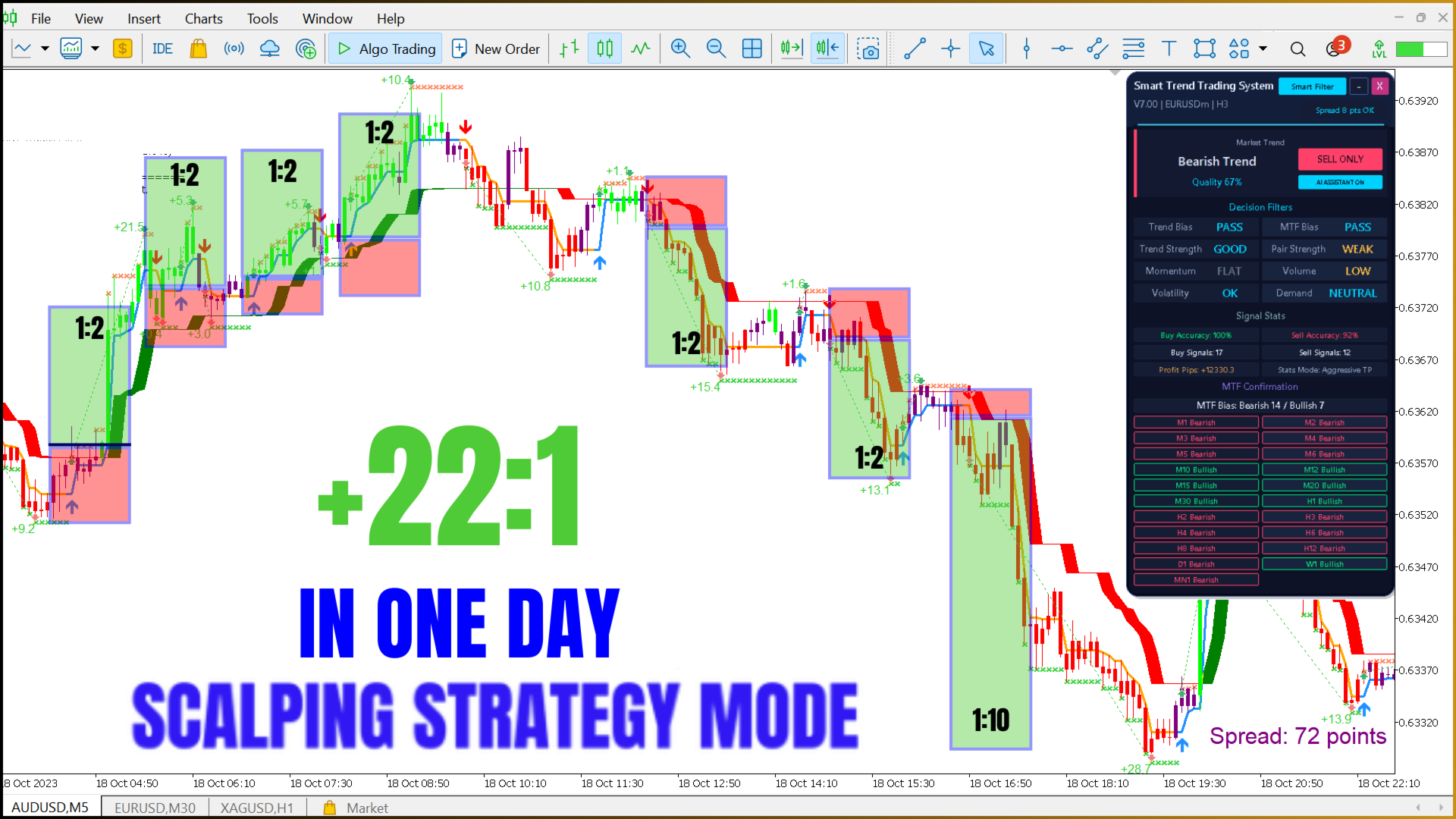
Smart Trend Trading System MT5 – Best Trend Indicator 2026 – 99 USD
$99.00

Description
Smart Trend Trading System MT5 — Best Trend Indicator 2026 with AI Panel and Smart Trend EA Robot
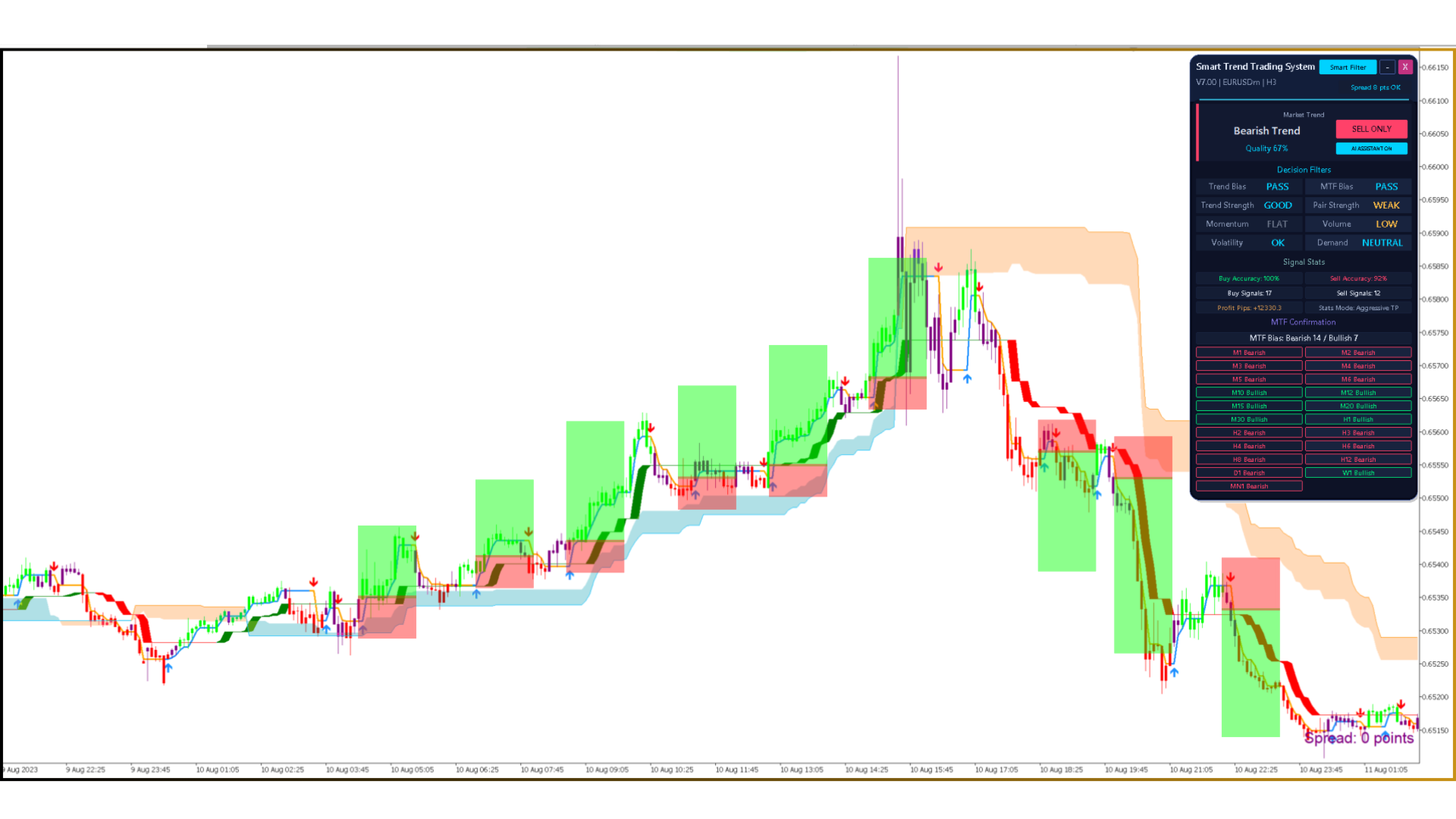
Smart Trend Trading System MT5 is a complete trend trading system for MetaTrader 5. Its AI Smart Trend panel tells you when to trade BUY ONLY, SELL ONLY or WAIT, and the included Smart Trend EA robot can trade the signals for you. One payment of $99 — no time limit, unlimited trading accounts and installation help.
- Smart Trend Trading System indicator, version 14.00
- Smart Trend EA robot for automated trading — included
- No time limit and unlimited trading accounts
- Personal installation and setup help
📑 Table of Contents
- 1. What Is the Smart Trend Trading System?
- 2. What You Get for $99
- 3. Key Features
- 4. AI Smart Trend Panel
- 5. Four Strategy Presets
- 6. Smart Trend EA Robot
- 7. Video
- 8. Profit Example: 50% per Month
- 9. Technical Specifications
- 10. How to Trade
- 11. Installation and Setup Help
- 12. Recommended Settings
- 13. Pros and Cons
- 14. Comparison
- 15. FAQ
1. What Is the Smart Trend Trading System?
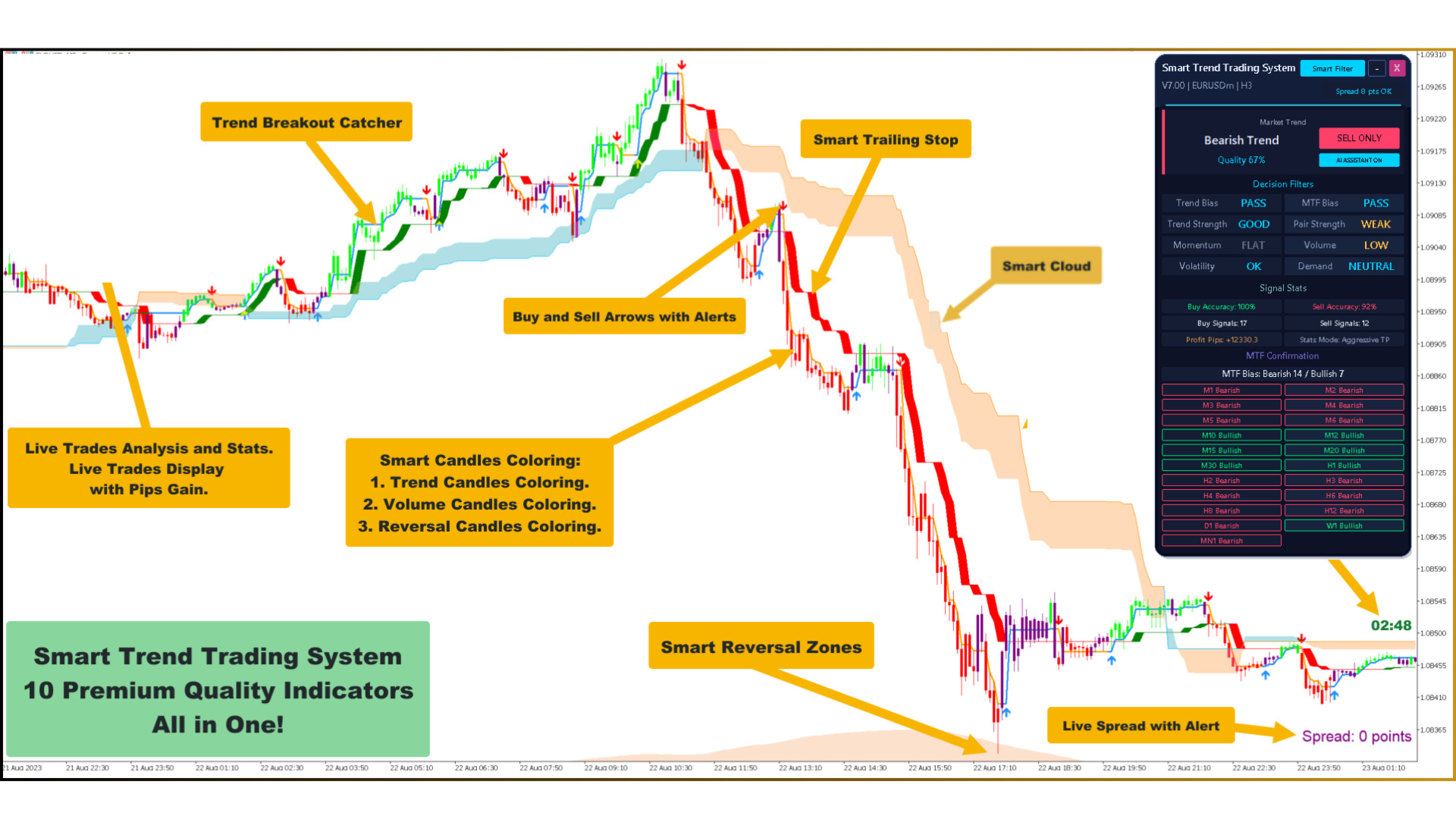
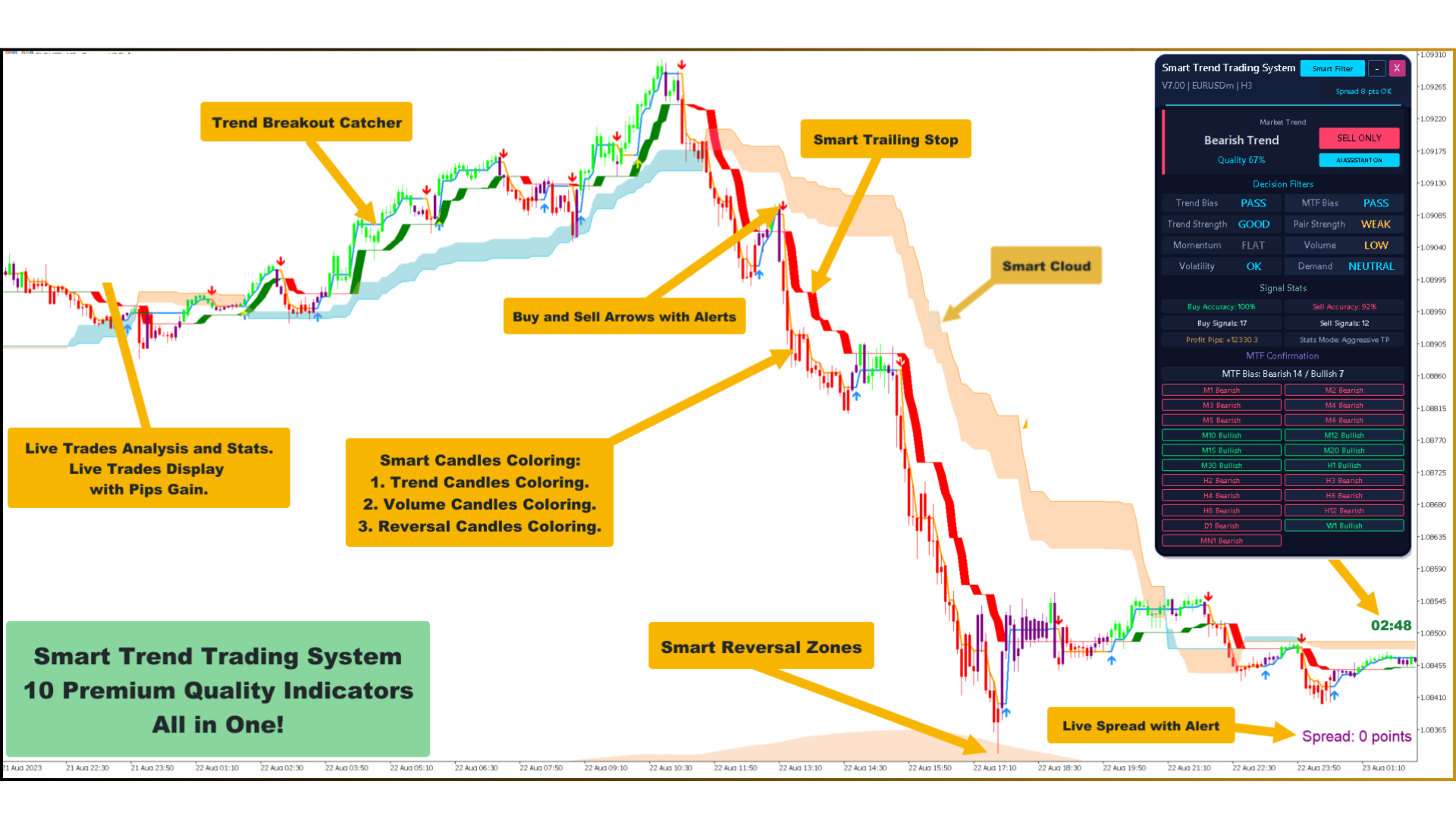
The Smart Trend Trading System is a trading system for MetaTrader 5 (MT5). Signals are fixed when the candle closes, so what you see on history is what you would have seen live. It brings trend detection, breakout signals, a dynamic trailing stop, Smart Cloud, Smart Reversal Zones, candle coloring, Daily VWAP, a volume profile, alerts and multi-timeframe analysis into one indicator with one control panel.
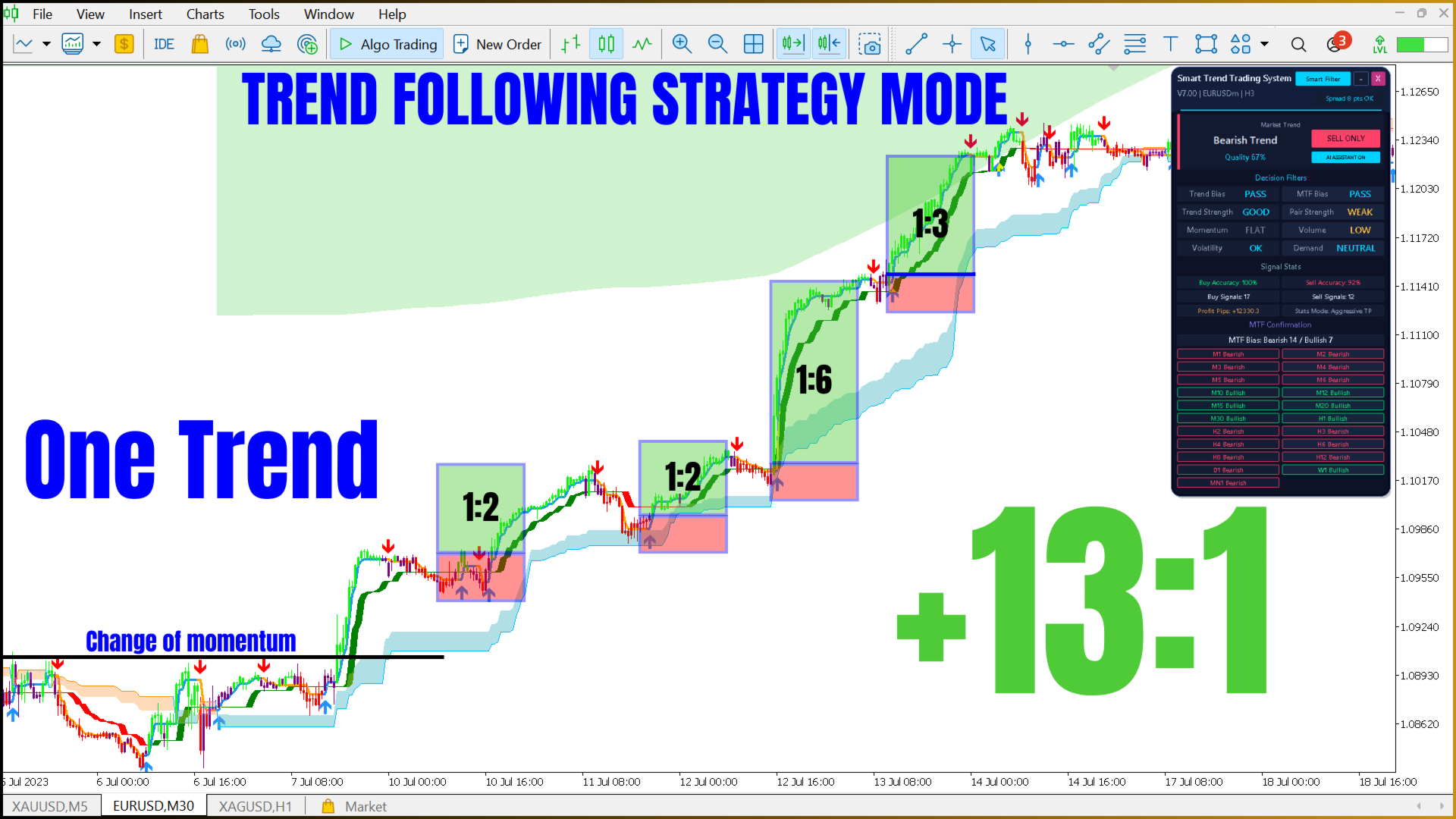
- Trending markets: follow the main trend with the Trend Breakout Catcher, Smart Cloud and Smart Trailing Stop.
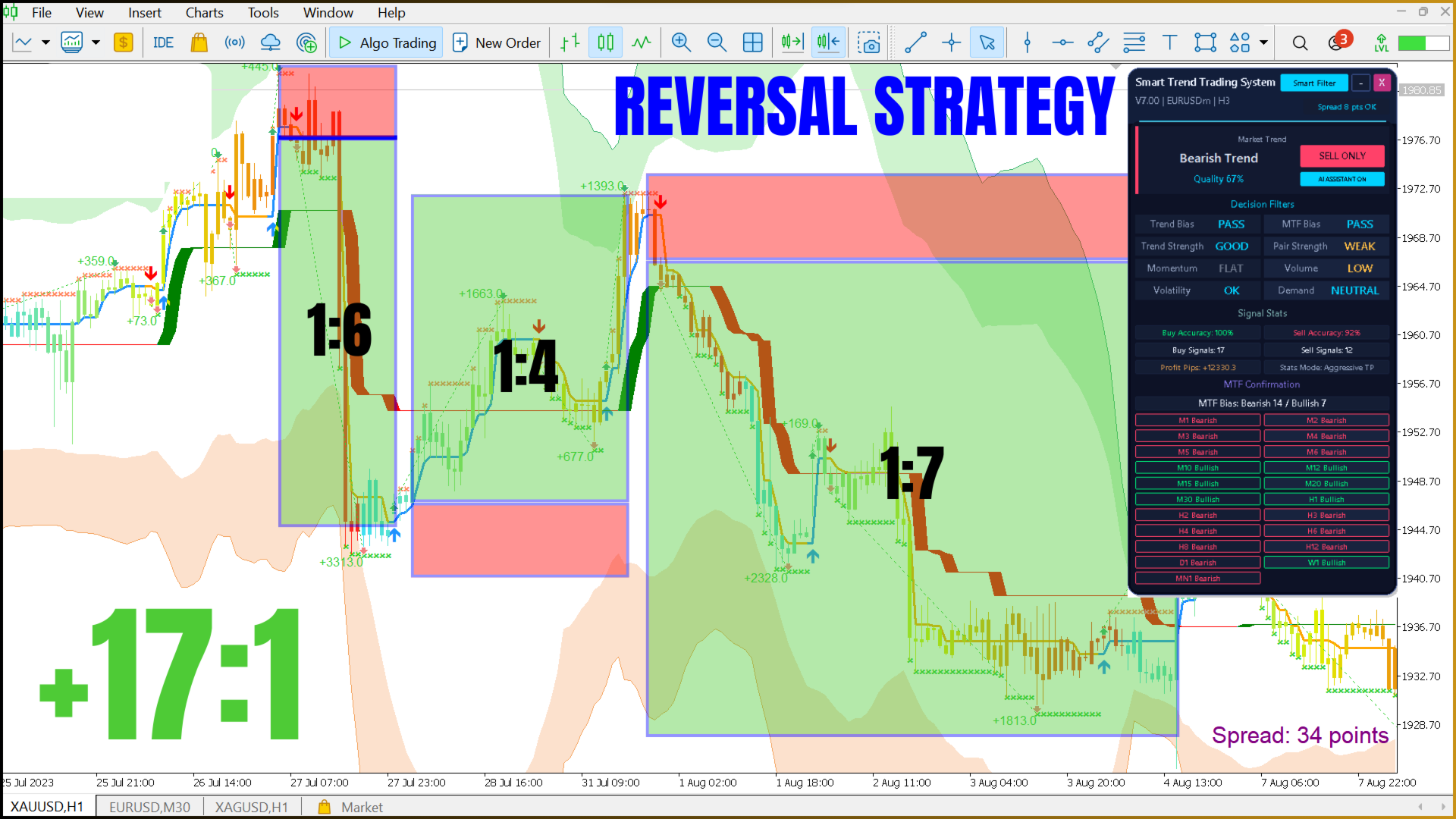
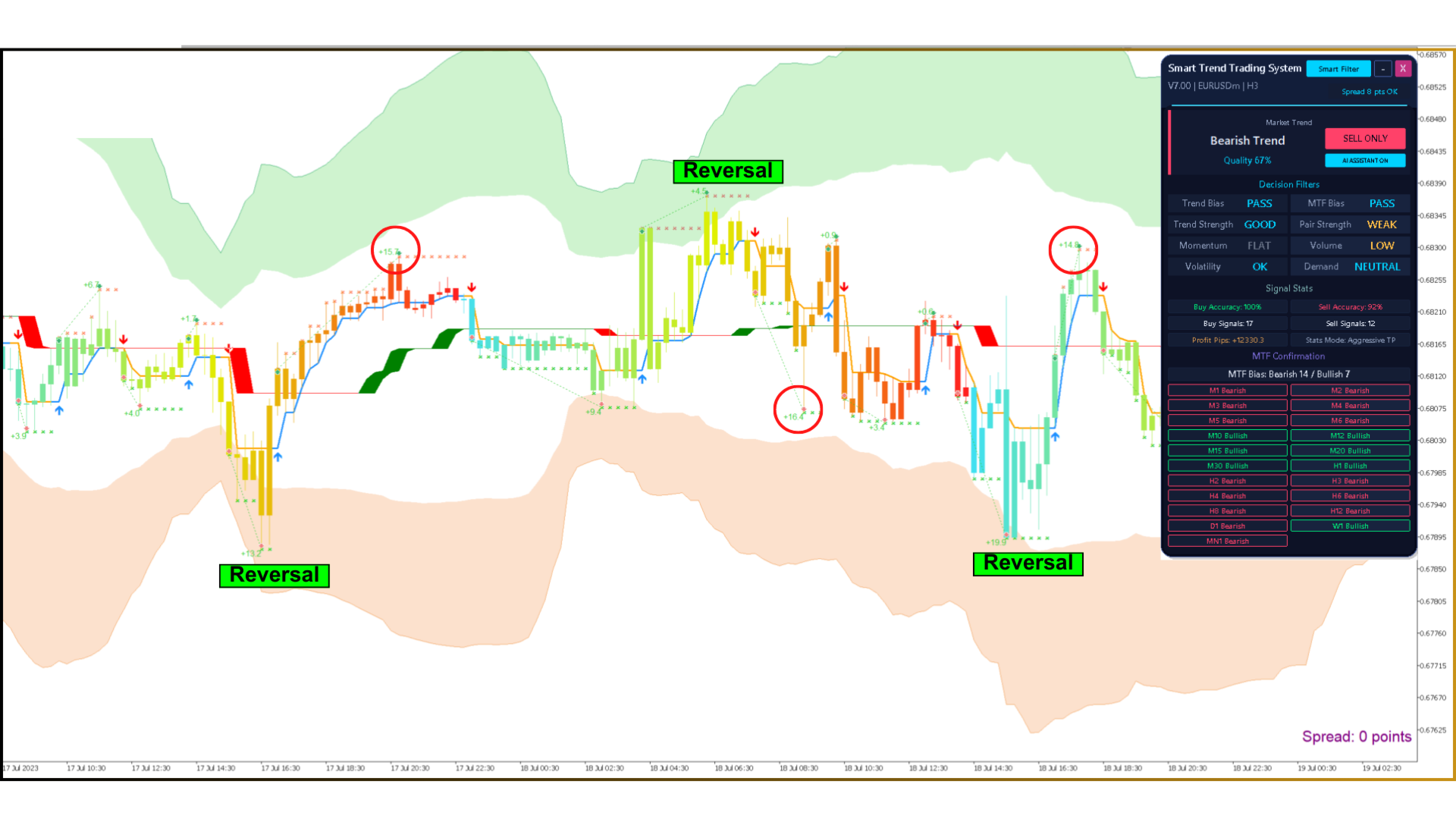
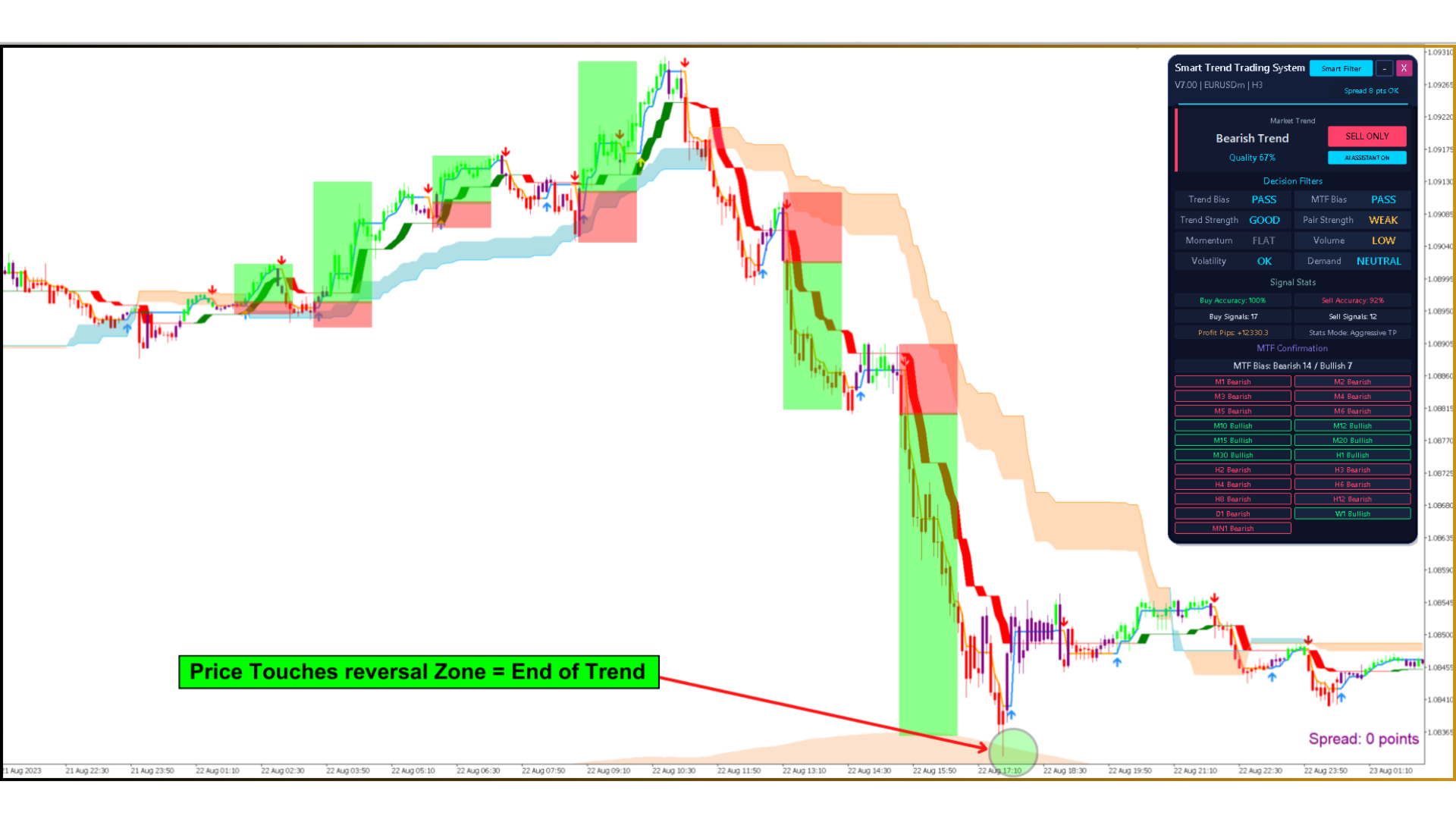
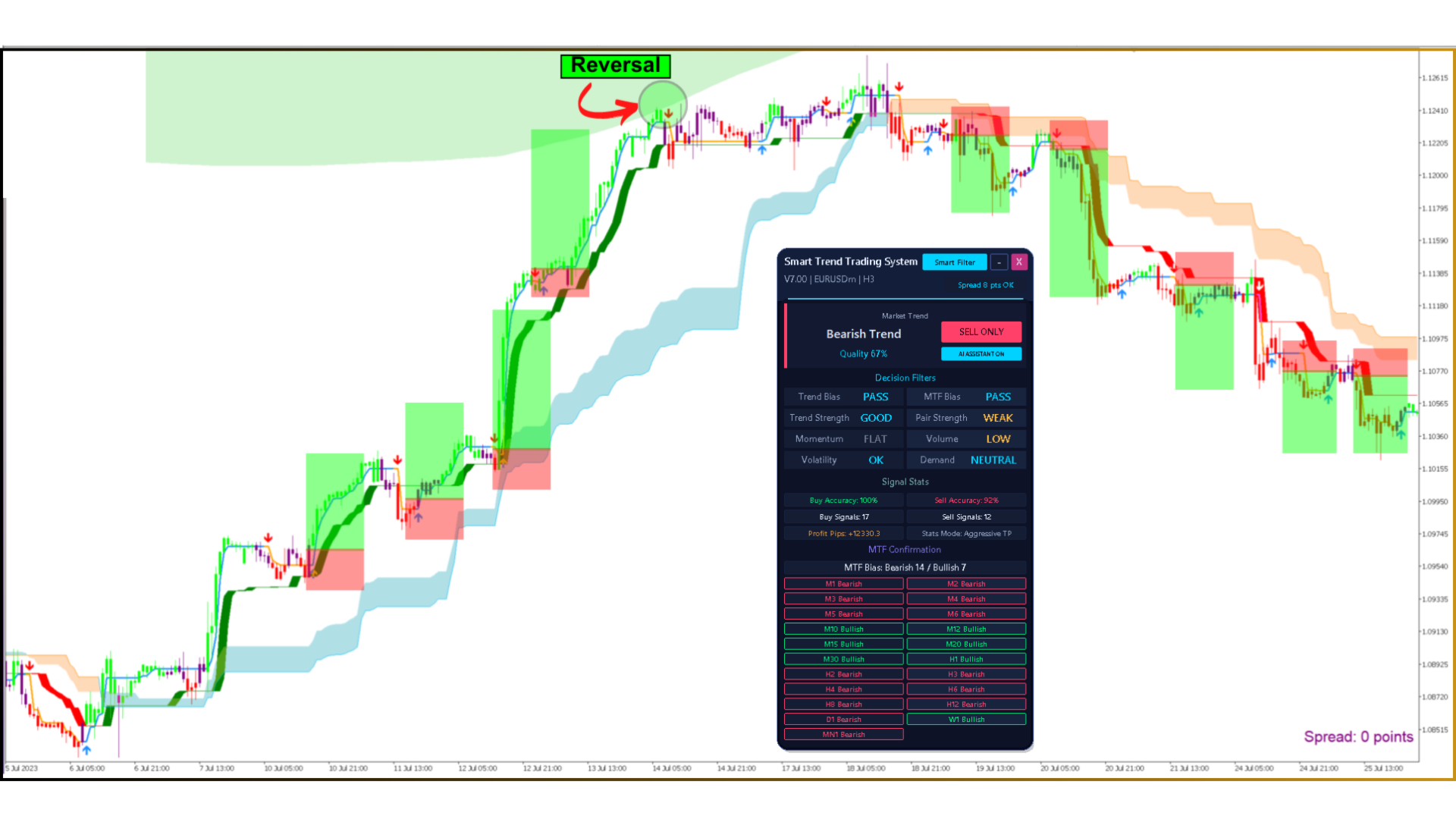
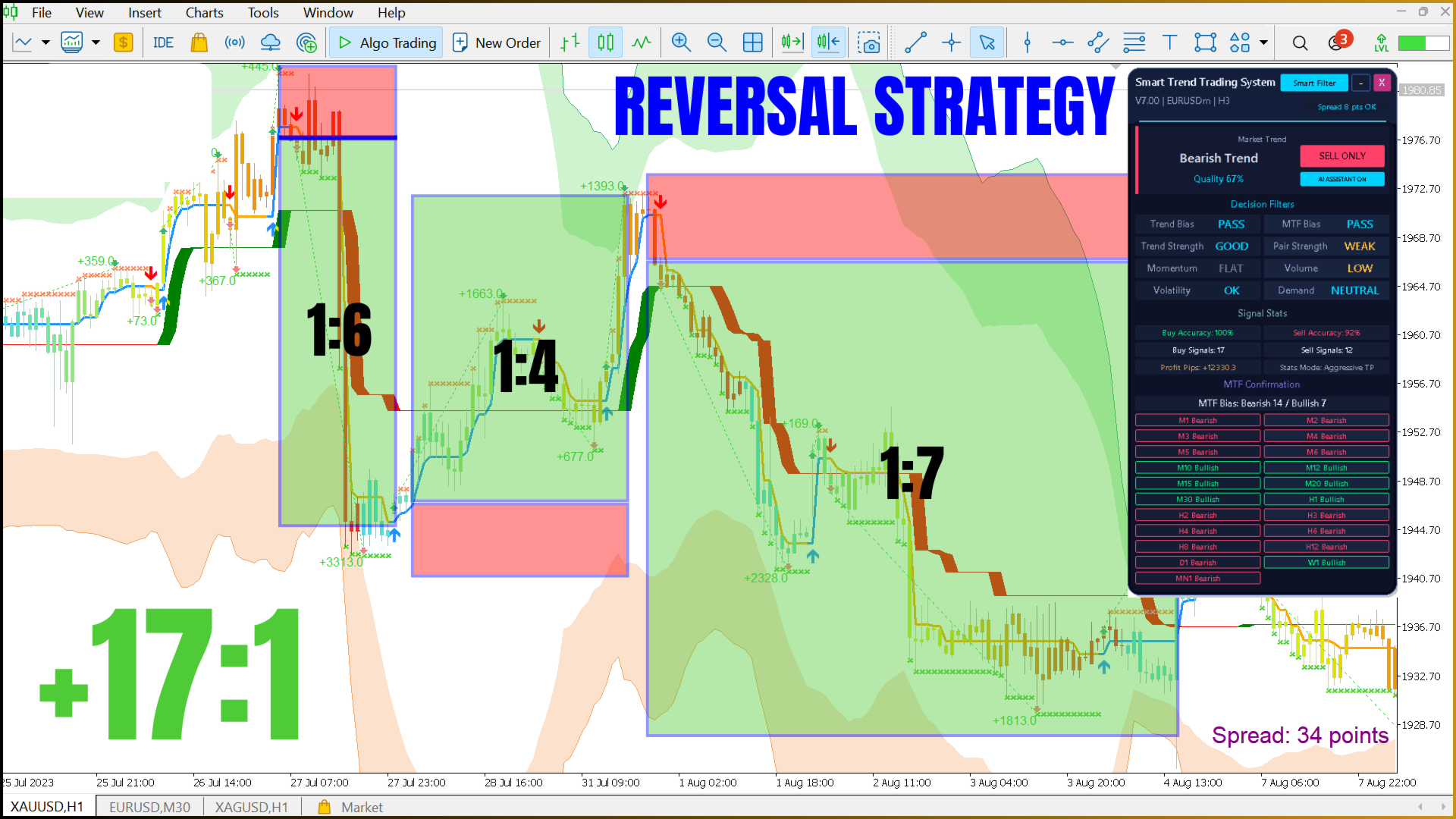
- Overextended markets: study potential turning points with Smart Reversal Zones and Reversal Pressure candles.
- Scalping and intraday trading: a cleaner chart with fast trend signals for M5–M15.
- Volume analysis: volume candles, Daily VWAP and the Smart Volume Profile.

2. What You Get for $99
| Included | Details |
|---|---|
| Smart Trend Trading System | MT5 indicator, version 14.00, all features and strategy presets |
| Smart Trend EA | Robot that trades the indicator signals with risk management |
| No time limit | Works without an expiry date |
| Unlimited trading accounts | Use it on all your MT5 accounts |
| Installation help | We help you install and configure the indicator and the EA |
| Payment | $99 one-time, no subscription |
3. Key Features
- Signals fixed on candle close — closed-candle signals do not change afterwards
- AI Smart Trend panel — BUY ONLY / SELL ONLY / WAIT with a Quality score
- 8 Decision Filters — Trend Bias, MTF Bias, Trend Strength, Pair Strength, Momentum, Volume, Volatility, Demand
- 4 strategy presets — Trend, Reversal, Scalp and Volume, one click or a hotkey
- Trend Breakout Catcher — breakout and trend-change arrows
- Smart Trailing Stop — dynamic stop band that follows the move
- Smart Cloud — visual trend filter used by the Smart Filter
- Smart Reversal Zones — areas where price is overextended
- Clean Candle Coloring — trend, volume and reversal-pressure candles
- Daily VWAP and Smart Volume Profile — Point of Control and Value Area
- MTF Confirmation — 20 timeframes from M1 to W1; click a timeframe to open it
- Signal Stats — Aggressive TP, Opposite Signal and ATR SL / TP modes
- Alerts — popup, push notifications and email
- Night and Day themes, candle timer and spread monitor
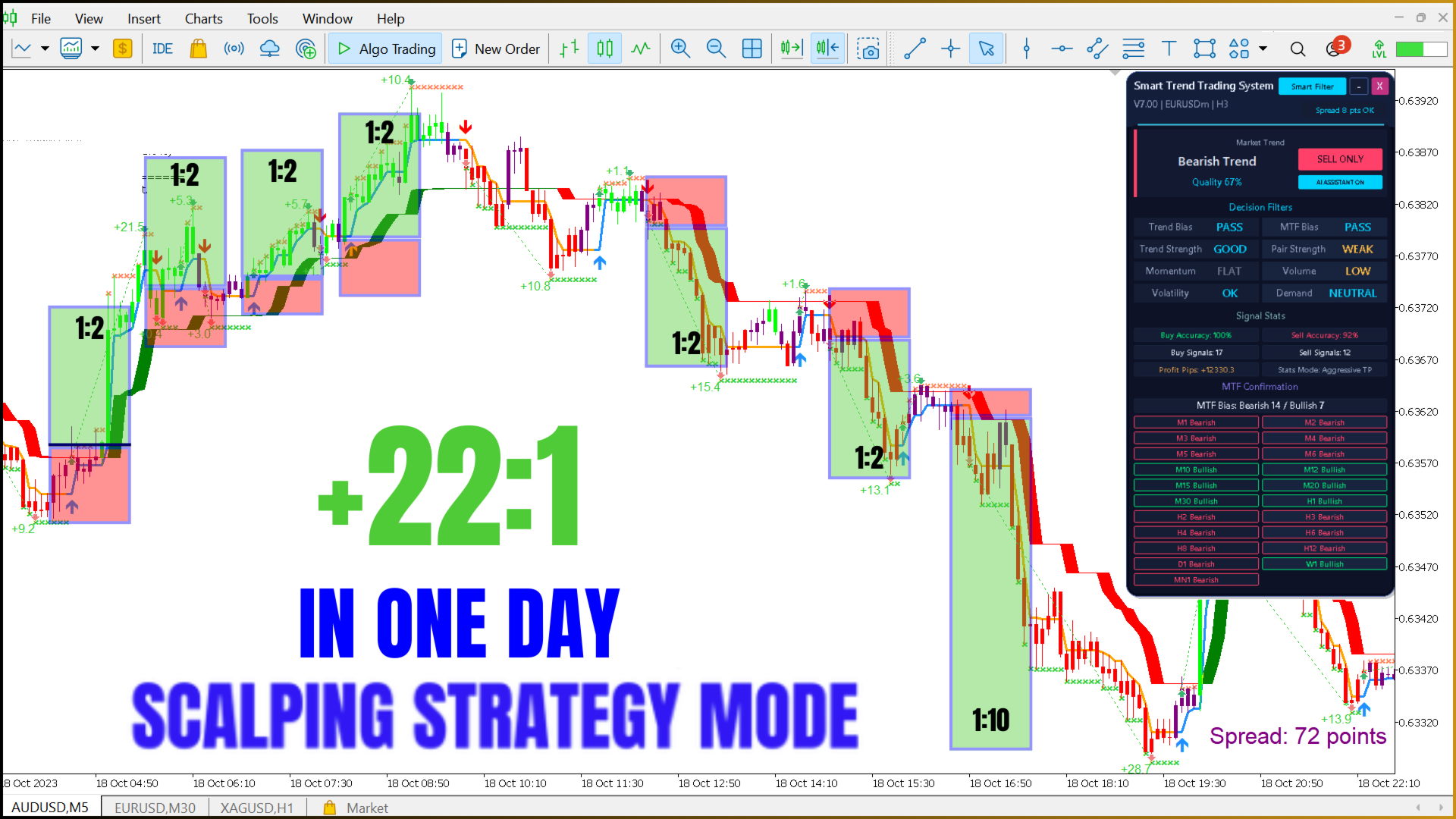
4. AI Smart Trend Panel and Decision Filters
The AI Smart Trend block combines eight filters into a Quality score from 0 to 100% and gives one decision:
- BUY ONLY — the evidence supports bullish trades only.
- SELL ONLY — the evidence supports bearish trades only.
- WAIT — Quality is below the minimum (50% by default), the filters conflict, or the market is Mixed / Range.
The decision is saved for every candle when it closes, so the Smart Trend EA can use it. Quality is not a win rate — it shows how strongly the filters agree.
| Filter | What it measures | Values |
|---|---|---|
| Trend Bias | Agreement of the trend modules | PASS / MIXED / FAIL |
| MTF Bias | Closed higher-timeframe candles in the same direction | PASS / MIXED / FAIL |
| Trend Strength | ADX strength of the move | WEAK / GOOD / STRONG / VERY STRONG |
| Pair Strength | How efficiently price is moving | FLAT / WEAK / GOOD / STRONG |
| Momentum | Acceleration in the trend direction | FLAT / WEAK / GOOD / STRONG / MOMENTUM |
| Volume | Participation compared with the average | LOW / NORMAL / HIGH |
| Volatility | Current range compared with the normal range | LOW / OK / HIGH |
| Demand | Overbought / oversold pressure | OVERSOLD / NEUTRAL / OVERBOUGHT |
5. Four Strategy Presets
| Preset | Chart tools | Signal | Best for |
|---|---|---|---|
| Trend (T) | Breakout Catcher, Trailing Stop, Smart Cloud, Reversal Zones, trend candles, trade analysis | Breakout in the Smart Cloud direction | Established trends, M30–H4 |
| Reversal (R) | Breakout Catcher, Trailing Stop, Reversal Zones, reversal-pressure candles | Rejection from a Reversal Zone | Overextended markets |
| Scalp (S) | Breakout Catcher, Trailing Stop, trend candles | Trailing Stop turns confirmed by trend candles | Short-term moves, M5–M15 |
| Volume (V) | Volume candles, Smart Cloud, Daily VWAP, Smart Volume Profile | Price crossing VWAP in the cloud direction | Reading market participation |
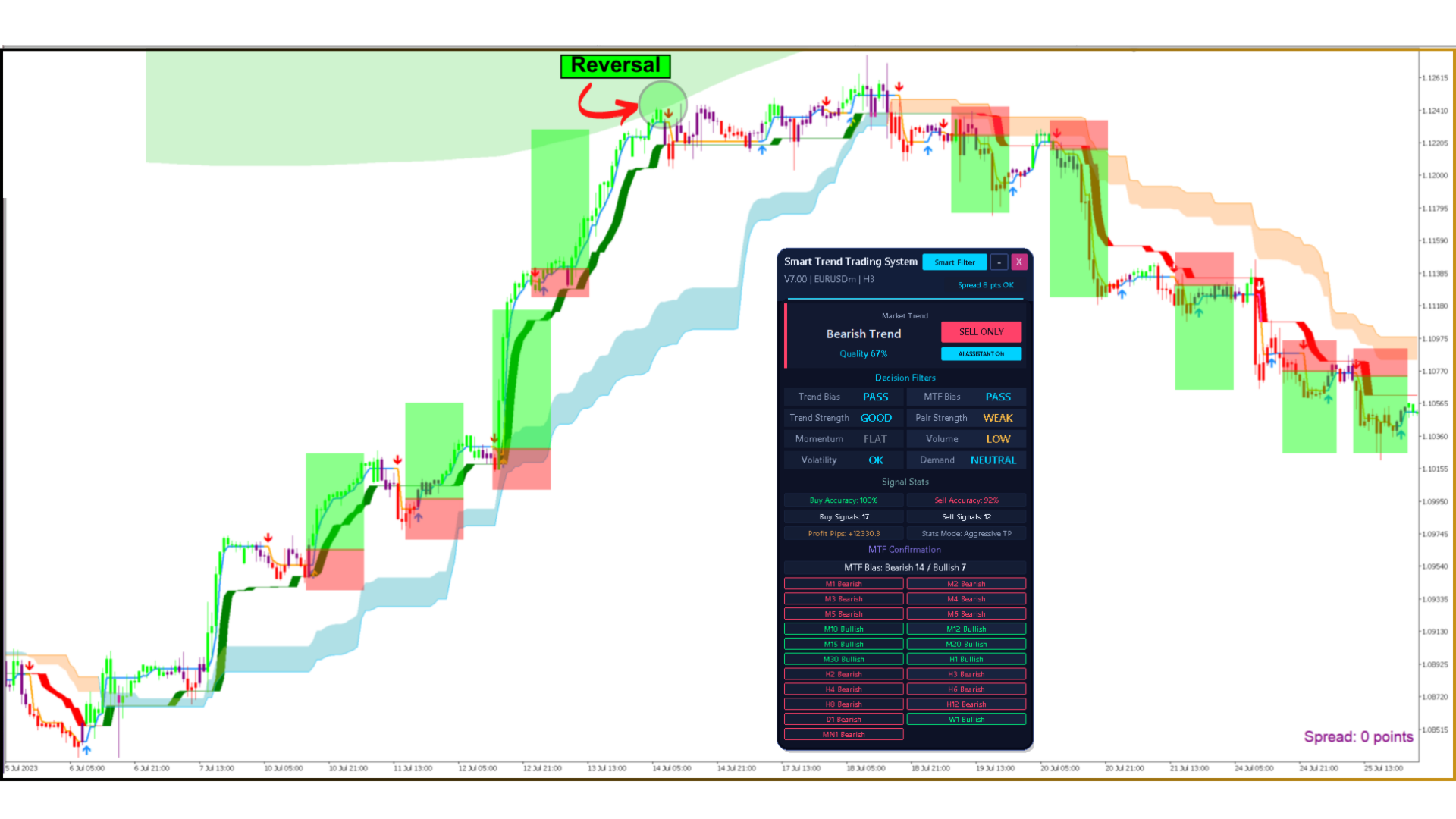
6. Smart Trend EA — Trading Robot Included
The Smart Trend EA reads the indicator signal on the closed candle, checks the AI Smart Trend decision and then opens and manages the trade.
- Signal sources: Primary, AI Confirmed, Trend Breakout Catcher, Smart Trailing Stop, Smart Cloud, Smart Trend or custom buffers.
- AI filter (ON by default): trades only in the BUY ONLY / SELL ONLY direction and above the minimum Quality.
- Lot size: fixed lot or % risk of the balance.
- Stop Loss: fixed points, ATR, the Smart Trailing Stop line or the signal candle extreme.
- Take Profit: fixed points, Risk : Reward (1 : 2 by default), ATR or the Reversal Zone band.
- Trade management: break-even, trailing stop, partial close, close on an opposite signal.
- Account protection: maximum drawdown, daily loss limit, trades per day, total lots, margin level and spread limits.
- Filters: trading hours, days of the week, MT5 economic-calendar news filter, Friday close.
- Recovery (averaging): available, OFF by default.
- Panel: EA ON / OFF, manual BUY / SELL, CLOSE ALL, AI decision, positions and today’s profit.
| Indicator buffer | Content |
|---|---|
0 / 1 | Primary BUY / SELL signal |
8 / 9 | Trend Breakout Catcher BUY / SELL |
15 / 16 | Smart Trailing Stop BUY / SELL |
35 / 36 | Smart Cloud BUY / SELL |
84 / 85 | Smart Trend BUY / SELL |
86 / 87 | AI decision (1 BUY ONLY, −1 SELL ONLY, 0 WAIT) / Quality 0–100 |
88 / 89 | Higher timeframes confirming bullish / bearish direction |
90 / 91 | AI Confirmed BUY / SELL |
92 | Daily VWAP |
7. Video: Smart Trend Trading System in Action
Watch the AI Smart Trend panel switch between BUY ONLY, SELL ONLY and WAIT in the MetaTrader 5 Strategy Tester on EURUSD H1.

8. Profit Example: 50% per Month
What does 50% per month mean with profit reinvested? The example starts from a $1,000 deposit and adds 50% to the balance at the end of every month. The $99 indicator price is a one-time payment and is not deducted from the trading deposit.
Example year starting from $1,000
| Month | Start balance | Result | Profit | End balance |
|---|---|---|---|---|
| 1 | $1,000.00 | +50% | +$500.00 | $1,500.00 |
| 2 | $1,500.00 | +50% | +$750.00 | $2,250.00 |
| 3 | $2,250.00 | +50% | +$1,125.00 | $3,375.00 |
| 4 | $3,375.00 | +50% | +$1,687.50 | $5,062.50 |
| 5 | $5,062.50 | +50% | +$2,531.25 | $7,593.75 |
| 6 | $7,593.75 | +50% | +$3,796.88 | $11,390.62 |
| 7 | $11,390.62 | +50% | +$5,695.31 | $17,085.94 |
| 8 | $17,085.94 | +50% | +$8,542.97 | $25,628.91 |
| 9 | $25,628.91 | +50% | +$12,814.45 | $38,443.36 |
| 10 | $38,443.36 | +50% | +$19,221.68 | $57,665.04 |
| 11 | $57,665.04 | +50% | +$28,832.52 | $86,497.56 |
| 12 | $86,497.56 | +50% | +$43,248.78 | $129,746.34 |
| Year | $1,000.00 | ×129.7 | +$128,746.34 | $129,746.34 |
📌 Profit reinvested every month · no fees deducted.
Balance at the end of each month (logarithmic scale)
$1,000 start · 50% per month · profit reinvested
Profit of each month
$1,000 start · 50% per month · profit reinvested
50% per month from different starting deposits
| Starting deposit | After 1 month | After 3 months | After 6 months | After 12 months |
|---|---|---|---|---|
| $10 | $15 | $34 | $114 | $1,297 |
| $100 | $150 | $338 | $1,139 | $12,975 |
| $500 | $750 | $1,688 | $5,695 | $64,873 |
| $1,000 | $1,500 | $3,375 | $11,391 | $129,746 |
| $5,000 | $7,500 | $16,875 | $56,953 | $648,732 |
📌 Balance = deposit × 1.5months, rounded to whole dollars.
9. Technical Specifications
| Specification | Details |
|---|---|
| Product | Smart Trend Trading System MT5 + Smart Trend EA |
| Price | $99, one-time payment |
| Platform | MetaTrader 5 (MT5) only |
| Version | 14.00 (September 2026) |
| License | No time limit, unlimited trading accounts |
| Support | Installation and setup help |
| Minimum deposit | $10 |
| Account types | Standard, ECN, NDD, Cent, Micro, Pro (ECN or low-spread recommended) |
| Strategy presets | Trend, Reversal, Scalp, Volume |
| Multi-timeframe | 20 timeframes, M1 to W1 |
| Timeframes | M5, M15, M30, H1 recommended (works on any) |
| Symbols | EURUSD, AUDUSD, NZDUSD, XAUUSD and other liquid forex pairs or metals |
| Alerts | Popup, push, email |
| Automation | Smart Trend EA included; buffers available for iCustom |
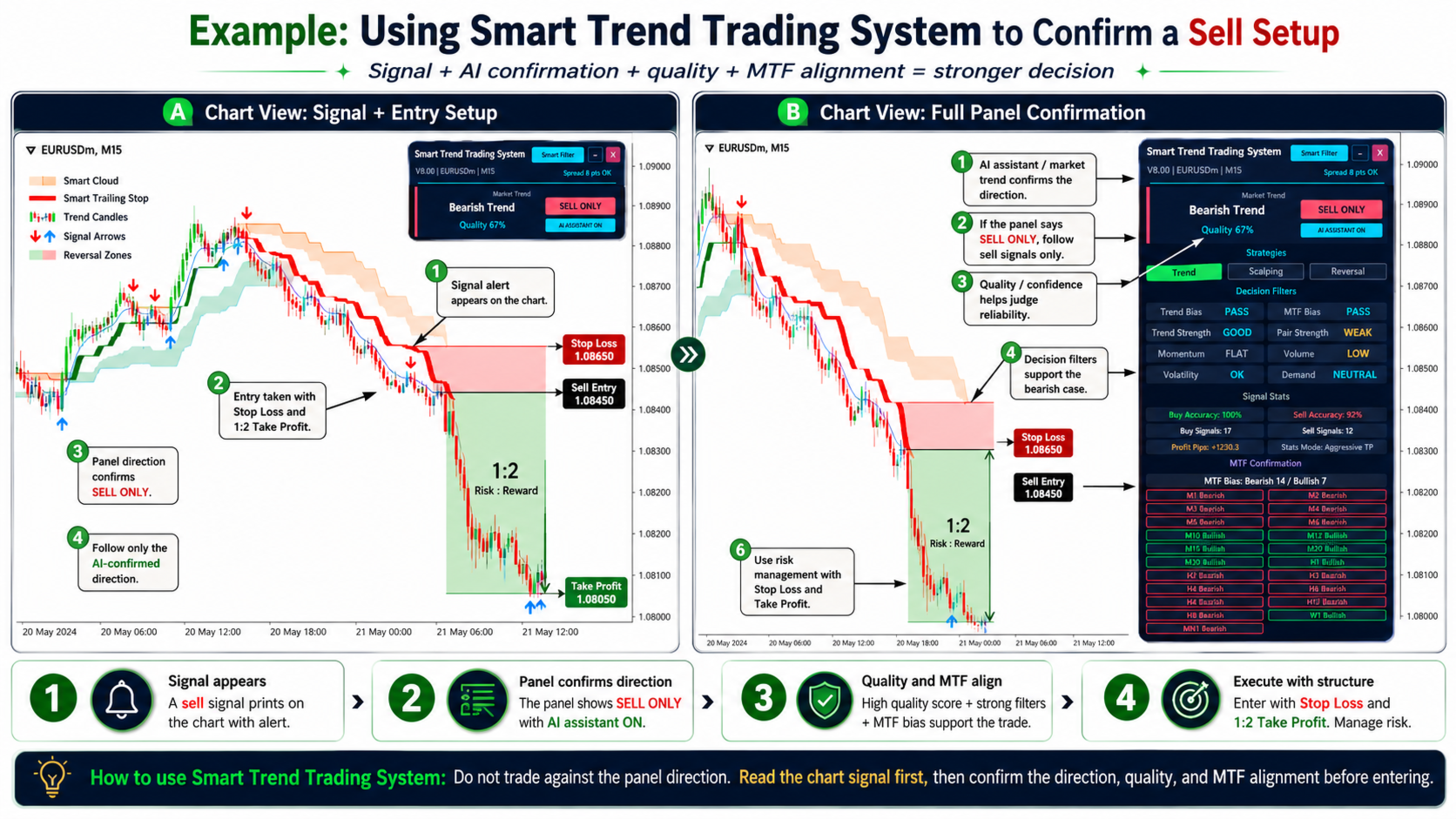
10. How to Trade with the Smart Trend Trading System
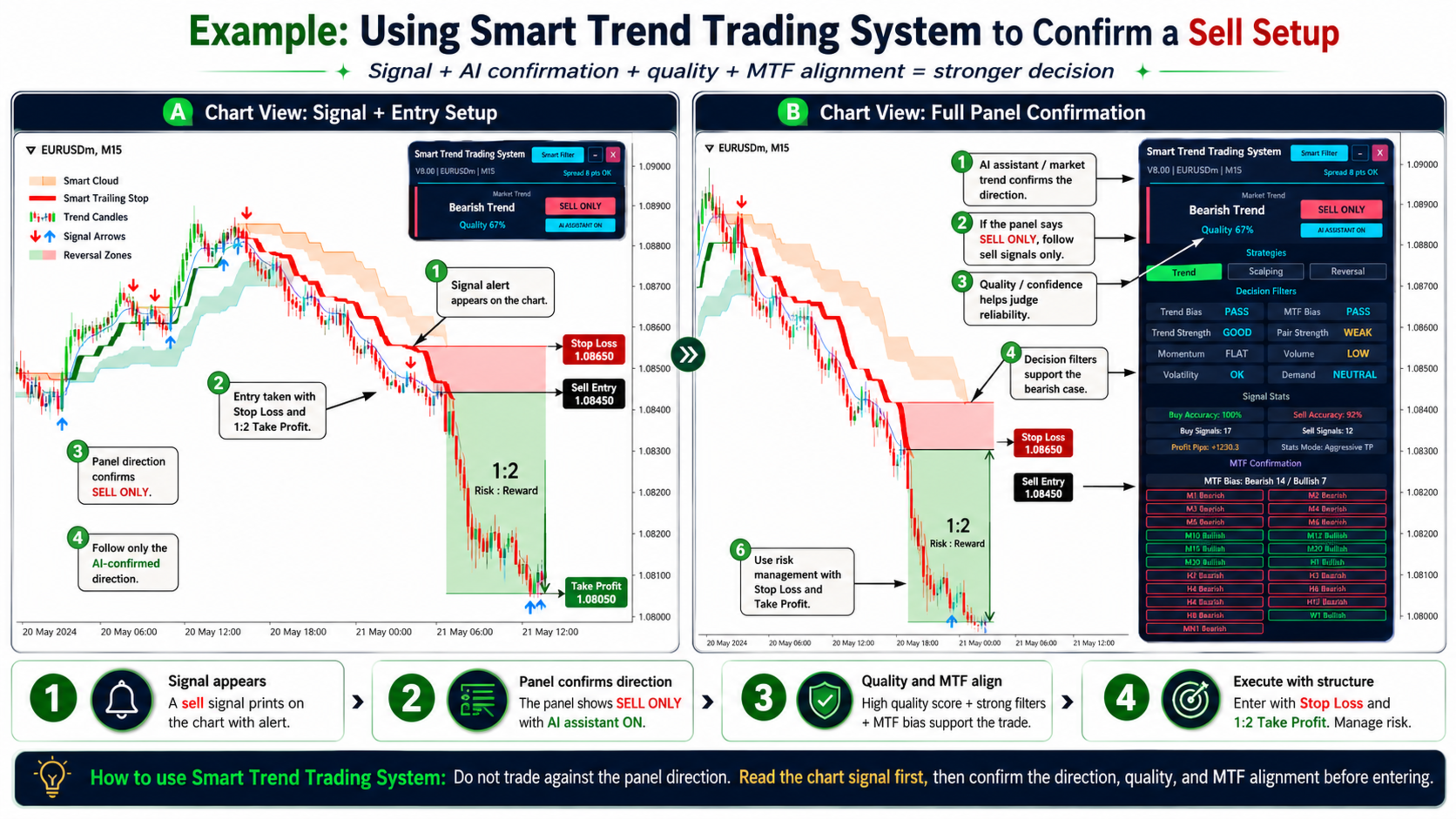
Read the chart and the panel together: choose a strategy → read the AI decision → confirm the evidence → read the chart.
Entry rules
- Wait for a signal arrow on a closed candle.
- Trade only in the panel direction: BUY ONLY for buys, SELL ONLY for sells. On WAIT, stay out.
- Check Quality and the MTF Bias — the higher and the more aligned, the stronger the setup.
- Enter with a Stop Loss behind the Smart Trailing Stop line or the signal candle.
Exit rules
- Take Profit: a fixed Risk : Reward (for example 1 : 2) or the opposite Reversal Zone.
- Trailing: move the stop along the Smart Trailing Stop line as the trend develops.
- Exit signal: close when an opposite arrow appears or the Smart Cloud changes direction.
11. Installation and Setup Help
After the purchase send us your order number — we will help you install and configure the indicator and the Smart Trend EA:
- Email: forexfactory1shop@gmail.com
- WhatsApp / Telegram: +995511167545
If you prefer to install it yourself:
- Open MetaTrader 5 and go to File → Open Data Folder.
- Copy the indicator file
Signal2forex.com_Smart_Trend_Trading_System_MT5intoMQL5\Indicators. - Copy the robot file
Signal2forex.com_Smart_Trend_EA_MT5intoMQL5\Experts. - Do not rename the indicator file — the EA finds the indicator by this name.
- Restart MetaTrader 5 or right-click the Navigator and choose Refresh.
- Drag the indicator onto the chart. For automated trading, drag the EA onto the chart and enable Algo Trading.
- Test the EA in the Strategy Tester (“Every tick based on real ticks”) and on a demo account before trading live.
12. Recommended Settings
| Parameter | Recommended value | Why |
|---|---|---|
| Strategy | Trend | The most complete preset for beginners |
| Smart Filter | ON | Removes signals against the Smart Cloud |
| AI Assistant | ON, minimum Quality 50% | Trade only in the permitted direction |
| Timeframe | M15, M30 or H1 | Balance between signal count and noise |
| Symbols | EURUSD, AUDUSD, NZDUSD, XAUUSD | High liquidity, low spread |
| EA signal source | Primary signal + AI filter | Same signal you see on the chart |
| EA Stop Loss / Take Profit | ATR × 1.5 / Risk : Reward 1 : 2 | Adapts to volatility |
| EA risk | 0.5–1% per trade, recovery OFF | Controlled drawdown |
13. Pros and Cons
✅ Pros:- Signals fixed on candle close — history shows what you would have seen live
- AI Smart Trend panel — one clear decision instead of many separate indicators
- 4 strategy presets and 20-timeframe confirmation
- Smart Trend EA included with risk management and account protection
- No time limit, unlimited accounts, installation help for a one-time $99
- MT5 only — no MT4 version
- Trend system — more false signals in sideways markets; use WAIT and Mixed / Range to stay out
- Many settings — start with the Trend preset and default values
14. Comparison: Smart Trend vs Other Trend Indicators
| Feature | Smart Trend Trading System | Typical trend indicator | Basic scalping indicator |
|---|---|---|---|
| Platform | MT5 | MT4 & MT5 | MT4 & MT5 |
| Signals fixed on candle close | ✅ Yes | Varies | Varies |
| AI decision panel | ✅ BUY ONLY / SELL ONLY / WAIT | ❌ No | ❌ No |
| Smart Cloud and Reversal Zones | ✅ Yes | ❌ No | ❌ No |
| Multi-timeframe | ✅ 20 timeframes | Rarely | ❌ No |
| VWAP and volume profile | ✅ Yes | ❌ No | ❌ No |
| Trading robot included | ✅ Smart Trend EA | ❌ No | ❌ No |
| Installation help | ✅ Yes | Rarely | Rarely |
| Price | $99 one-time | $0–$50 | $0–$100 |
📌 Prices and features of other indicators vary. Always check the latest specifications.
15. Frequently Asked Questions
What is the Smart Trend Trading System MT5?
A trend indicator for MetaTrader 5 with 10+ trading tools, 4 strategy presets, an AI Smart Trend panel with BUY ONLY / SELL ONLY / WAIT decisions and multi-timeframe confirmation on 20 timeframes. The Smart Trend EA robot is included.
How much does it cost?
$99, one-time payment. The price includes the indicator, the Smart Trend EA, no time limit, unlimited trading accounts and installation help.
Is there a trading robot?
Yes. The Smart Trend EA reads the signals on the closed candle, filters them with the AI Smart Trend decision and manages trades with Stop Loss, Take Profit, break-even, trailing stop, partial close and account protection.
Can you help me install it?
Yes. After the purchase contact us by email forexfactory1shop@gmail.com or WhatsApp / Telegram +995511167545.
Does it repaint?
Signals are fixed when the candle closes and do not change afterwards. On the current, still forming candle an arrow can appear and disappear, so the EA and the alerts use the closed candle by default.
Is it available for MT4?
No, MetaTrader 5 (MT5) only.
What is the minimum deposit?
From $10. It works on Standard, ECN, NDD, Cent, Micro and Pro accounts; ECN or low-spread accounts are recommended.
What does the Quality percentage mean?
It shows how strongly the eight decision filters agree with the current direction. It is not a win rate and not a probability of profit.
Can I use the Smart Trend EA with a prop firm?
Yes, it can be used with prop firms. The EA uses a Stop Loss, daily loss and drawdown limits by default, and its recovery (averaging) mode is off.
- Indicator + Smart Trend EA robot
- No time limit · unlimited trading accounts
- Installation and setup help
📊 Optimise your trading execution: learn how FX Execution Management Systems (EMS) can help you achieve better trade execution and reduce latency.
📈 Master breakout trading: discover the Opening Range Breakout (ORB) strategy and combine it with the Smart Trend Trading System for stronger entries.
🤝 Prefer not to trade yourself? See our Forex account management service.

 Signal2forex.com - Best Forex robots and signals


